
The Visualizer
The Visualizer maps a crawled site as an interactive graph — color-coded by depth, status, or issues, grouped into clusters, with per-node drill-in and CSV export.
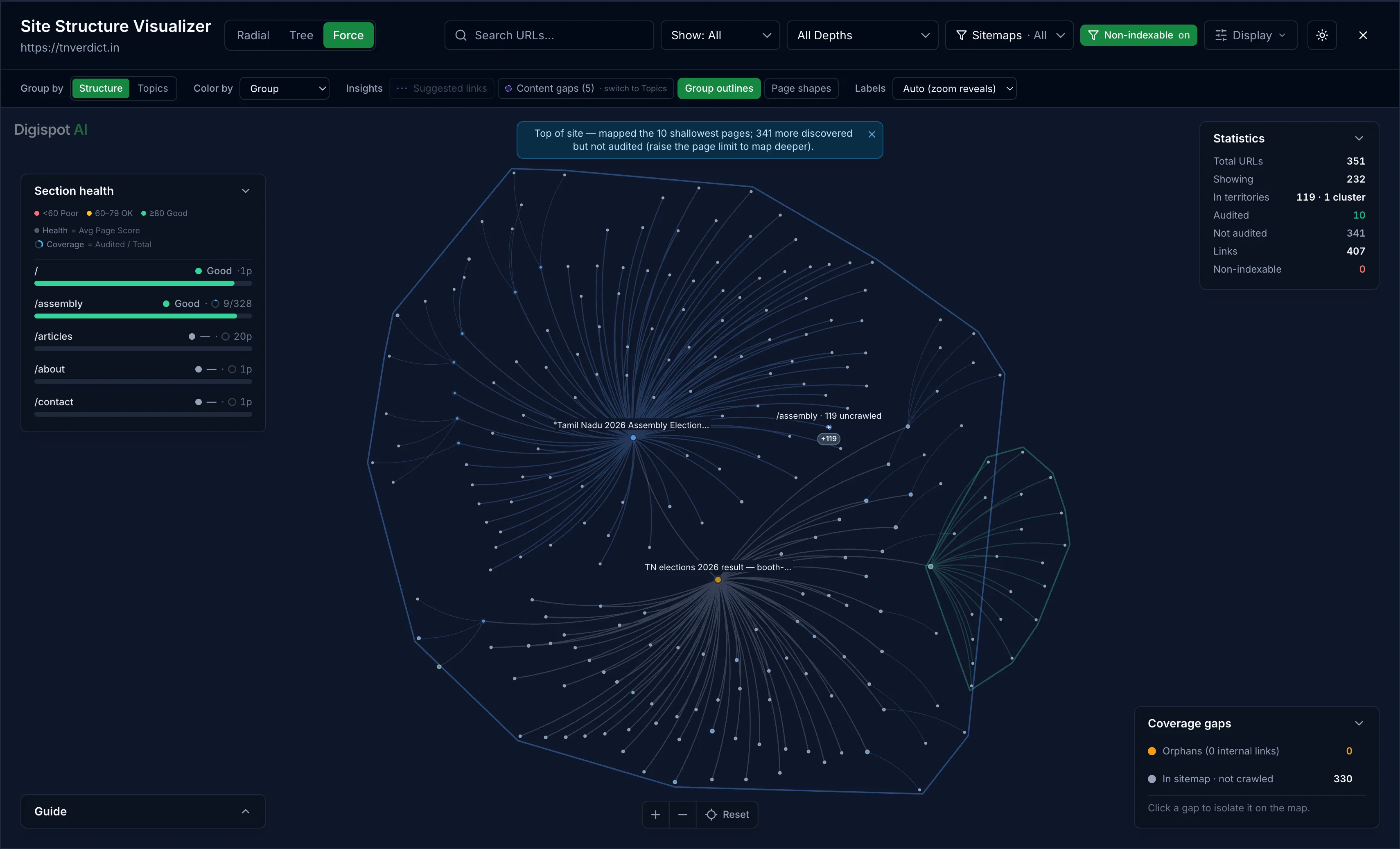
The Visualizer maps your site as an interactive, force-directed graph. Every URL the crawl discovered is a node, and internal links are the edges between them. It surfaces structure a table can't: how deep pages sit from the homepage, which act as hubs, and which are orphaned.
Open the Visualizer from a crawl — the Sitemap tab's Site Structure panel has a Visualize action, and it opens as its own view for the run. It can be shared as a link. See Site health.
Color by
Color by re-shades the graph to answer a specific question:
- Depth — each ring out from the homepage gets its own hue
- HTTP status — surface non-200 pages inside the structure
- Top issues — highlight the sections carrying the most findings
- Inbound / outbound links — separate hubs (many inbound links) from orphans (zero internal links)
The same page looks different under each mode. Reading depth finds pages buried too far from the homepage; reading inbound links finds the orphans no internal link points to.
Group by clusters
Group by collapses the graph into named territory clusters by section, so a large site reads as a handful of areas rather than thousands of dots. Each cluster is clickable.
- Drill in to expand a cluster and see the pages inside it
- Export CSV to download a cluster's URLs with their
url,depth,section, andsitemapcolumns
Clustering is what keeps the graph legible on a site with thousands of pages, where an ungrouped node cloud would be unreadable.
Filters and labels
Narrow the map to focus on one part of the structure:
- Depth — show a single depth ring, or all depths at once
- Sitemap file — filter to the URLs in one sitemap
- Label density — set how many page names print on the map, since every node is hoverable regardless of whether its label shows
Inspecting a node
Double-click a node to drill in and inspect a single page:
- Its inbound and outbound internal links
- For a weakly linked page, suggestions for where to add a link to pull it out of the shallows
Color by inbound links, then look for nodes with no edges into them — those are the orphans. A page with zero internal links is one the crawler only found through the sitemap, and one Google may struggle to discover or rank.
Site health
The Site health view covers the site-wide checks that run once per crawl — robots.txt, sitemaps, SSL, and llms.txt — and feed the Site Architecture score.
Metadata tab
The Metadata tab audits the title, description, canonical, robots directives, hreflang, and the technical tags behind how a page is indexed.