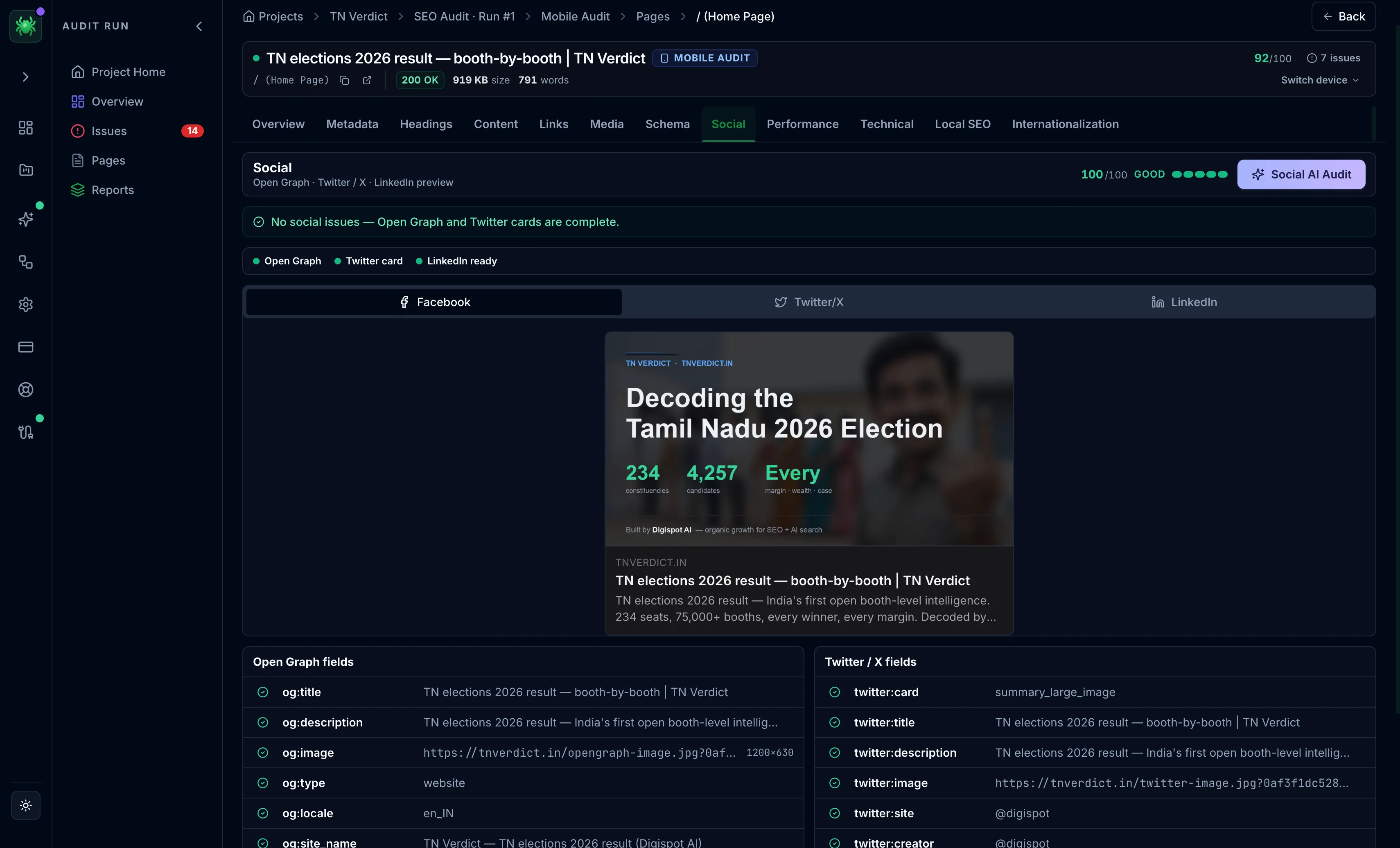
Social tab
The Social tab validates Open Graph, Twitter/X, and LinkedIn tags and previews how the page looks when shared.
The Social tab checks the tags that control how a page looks when shared and previews the share cards before anyone posts. These tags do not affect rankings. But a missing or broken image, title, or description turns a shared link into a bare URL. That directly costs the click-through and referral traffic a social post is meant to earn.
Status and preview
Status dots show whether Open Graph, Twitter card, and LinkedIn are ready. A preview renders the Facebook, Twitter, and LinkedIn share-card mockups from the page's actual tags, so a wrong image or a truncated title is visible before it ships, not after.
Tag fields
Two field grids list every tag and flag what is missing:
- Open Graph — title, description, image (with dimensions and alt), type, locale, site name, and URL
- Twitter / X — card type, title, description, image and alt, site, and creator
A favicons & app icons panel checks the favicon, Apple touch icon, and PWA icons.
On paid tiers, the Social AI Audit reviews the tags and prioritizes fixes.
Most platforms fall back to Open Graph tags when their own are absent, so a complete Open Graph set is the priority. The Twitter and LinkedIn cards inherit from it. Fill Open Graph first, then add Twitter-specific tags only where you want a different card.
The image is what a share stands or falls on. Confirm og:image is present, at
a landscape ratio, and large enough (Facebook and LinkedIn expect roughly
1200×630) using the live preview before treating the tab as clean.