
Site health
The Site health view covers the site-wide checks that run once per crawl — robots.txt, sitemaps, SSL, and llms.txt — and feed the Site Architecture score.
Site health covers the checks that apply to the whole site rather than a single
page. These are the foundations that decide how every URL is discovered, trusted,
and served. A problem here rarely shows on one page in isolation. A blocking
robots.txt rule or an expired certificate suppresses the entire crawl at once,
which is why these checks run once per crawl and are scored on their own.
Open Site health from the project Overview, via View site checks on the Site-level card. These checks are shared across every device in a crawl and roll up into the Site Architecture score, separate from the per-page scores. See Checks & scores.
Site Architecture score
A single Site Architecture score summarizes the site-wide foundations. It is a
composite of the four checks below, so a weak llms.txt or a robots.txt block
pulls it down without touching any individual page's score. The view opens on this
score, then breaks into a tab per foundation.
Robots.txt
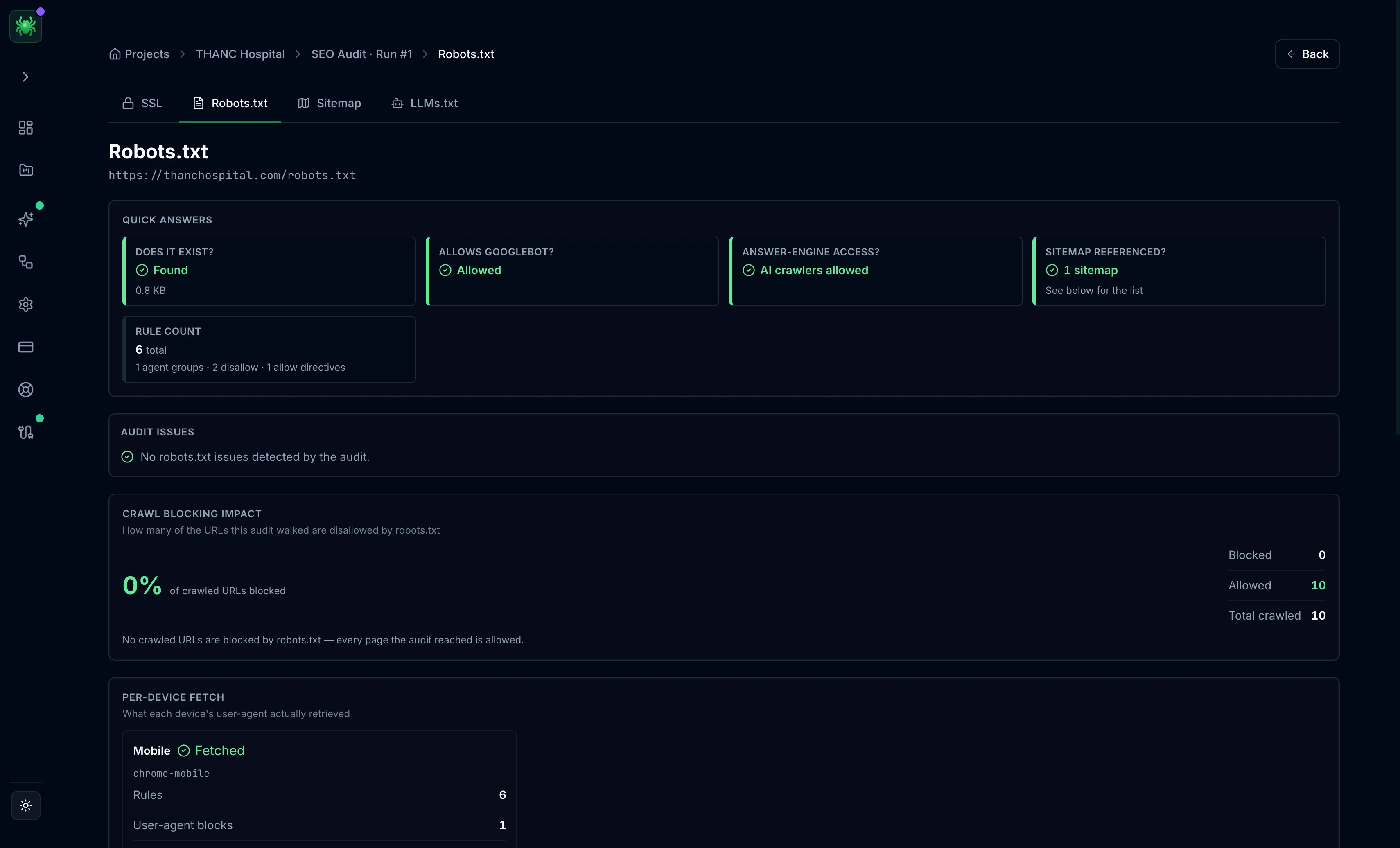
The Robots.txt tab opens with quick answers: whether the file exists, whether Googlebot and AI crawlers are allowed, whether a sitemap is referenced, and the rule count broken into agent groups, disallow, and allow directives. A crawl blocking impact panel reports how many of the URLs this audit crawled the file actually blocks. A per-device fetch panel shows what each device's user agent retrieved.
This is where an accidental site-wide block shows up, such as a Disallow: / left
over from staging that keeps the whole site out of the index.
Sitemap
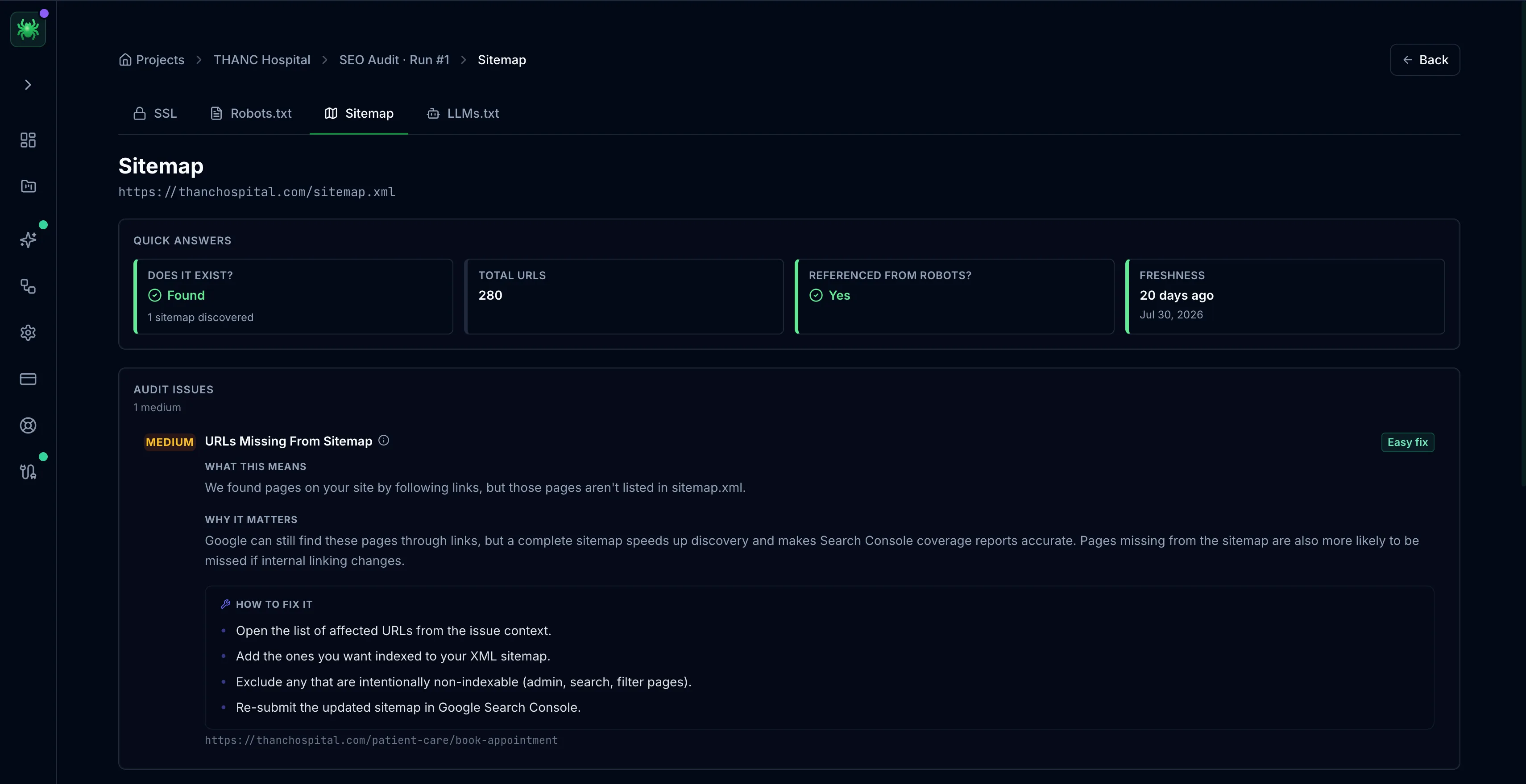
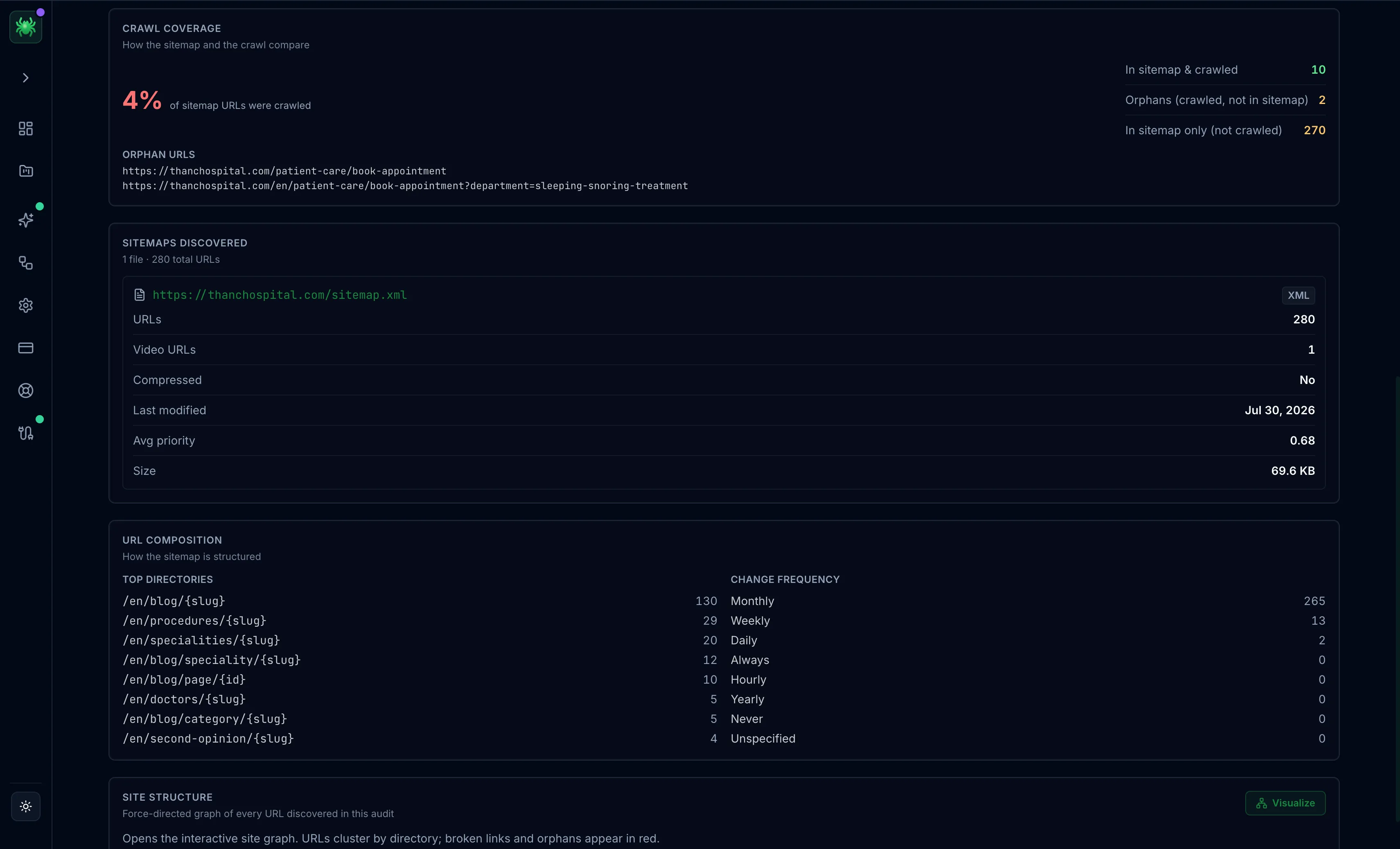
The Sitemap tab covers the XML sitemaps the site publishes. Quick answers report whether a sitemap exists, its total URLs, whether robots.txt references it, and its freshness. A crawl coverage panel compares the sitemap against the crawl: URLs in both, orphans (crawled but not listed), and URLs listed but not reached. Per-sitemap metrics follow — URL count, video URLs, compression, average priority, and size — along with a URL composition breakdown by top directory and declared change frequency.
A sitemap that lists URLs no page links to, or that omits pages that matter, is a discovery problem the tab makes visible before it costs indexing.
SSL
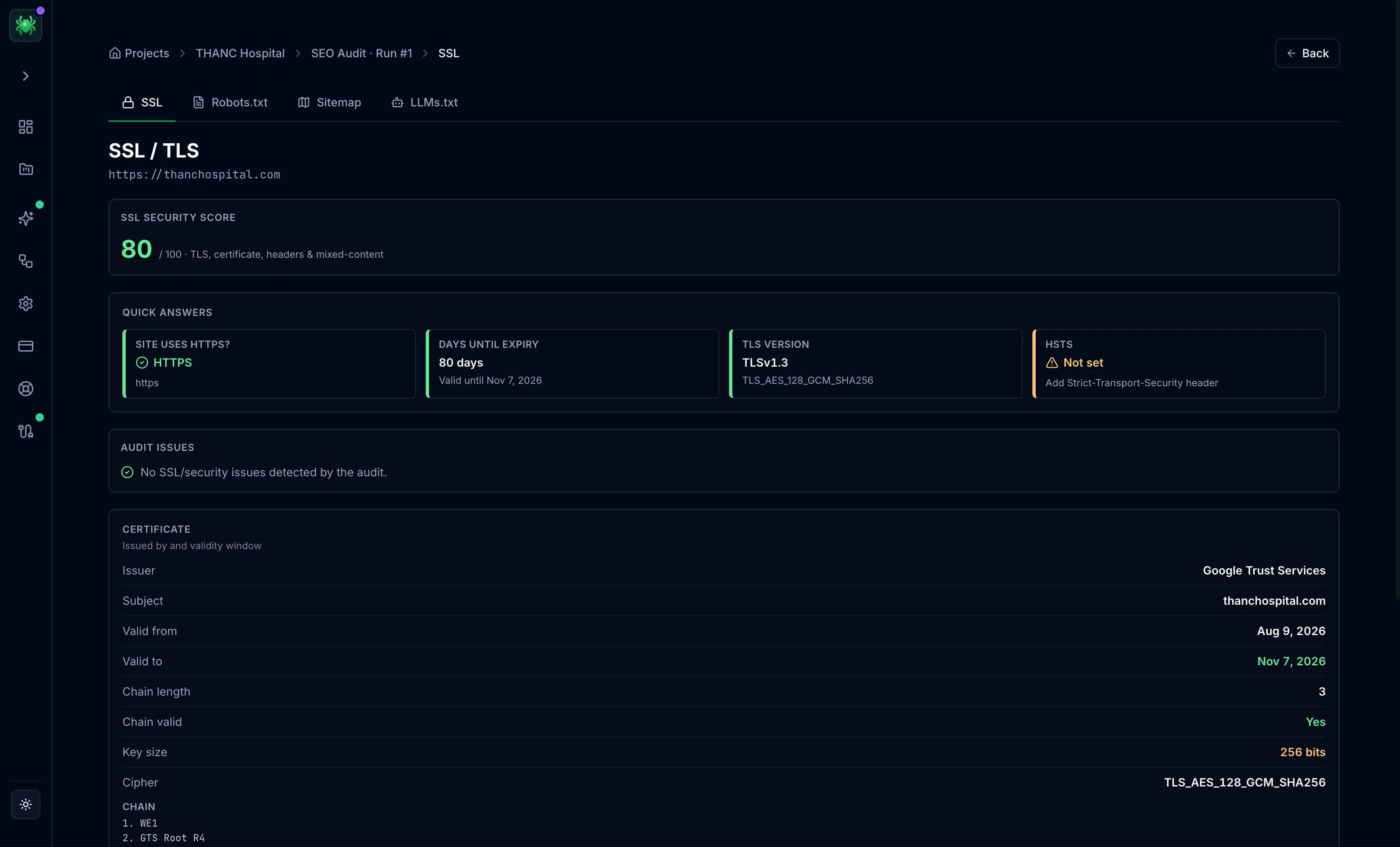
The SSL tab covers the site's transport security. It leads with an SSL security score out of 100, then quick answers: whether the site uses HTTPS, days until expiry, the TLS version, and whether HSTS is set. The full certificate follows — issuer, subject, validity window, chain length and validity, key size, and cipher. These are read once for the site rather than per page.
LLMs.txt
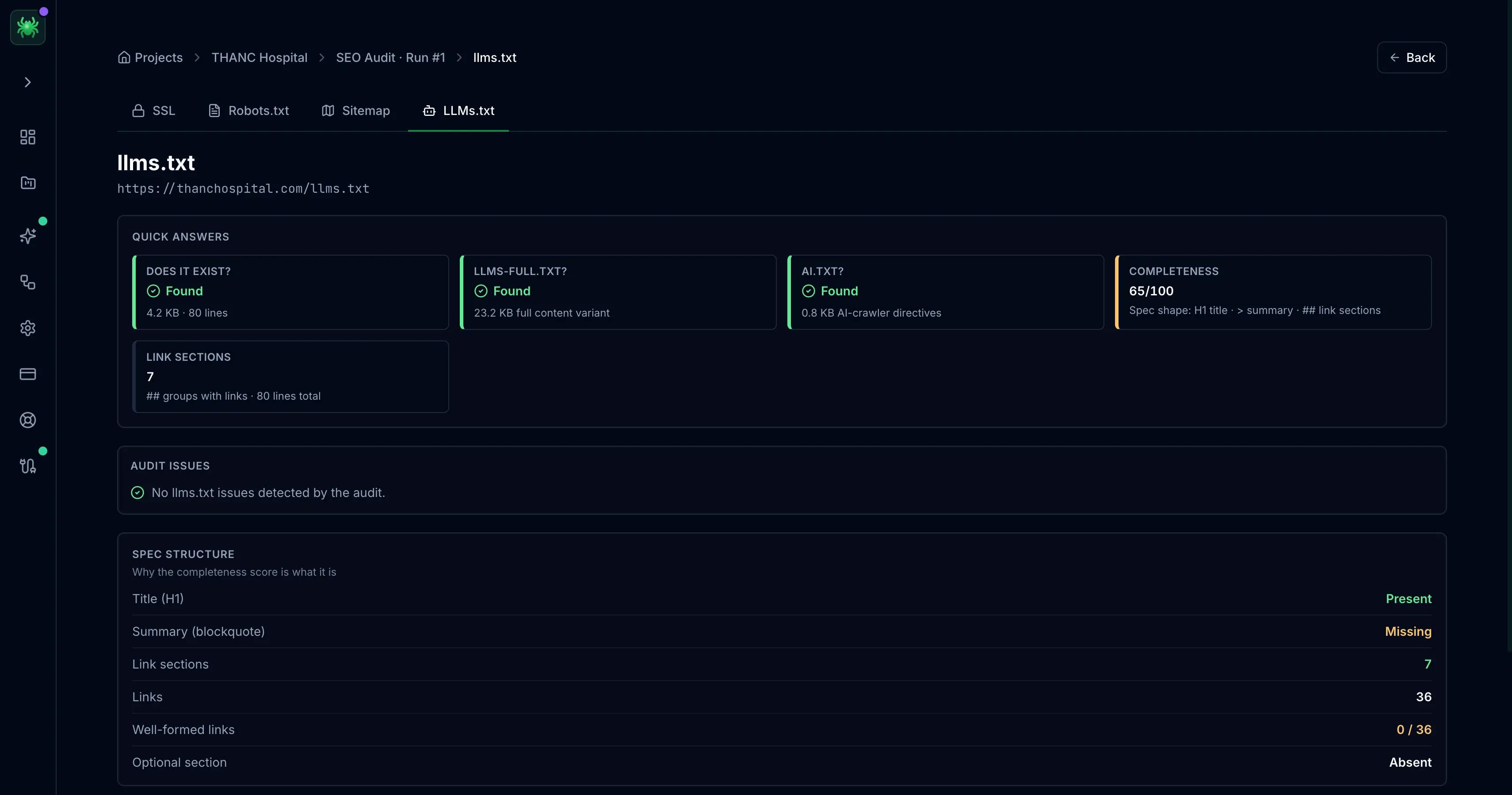
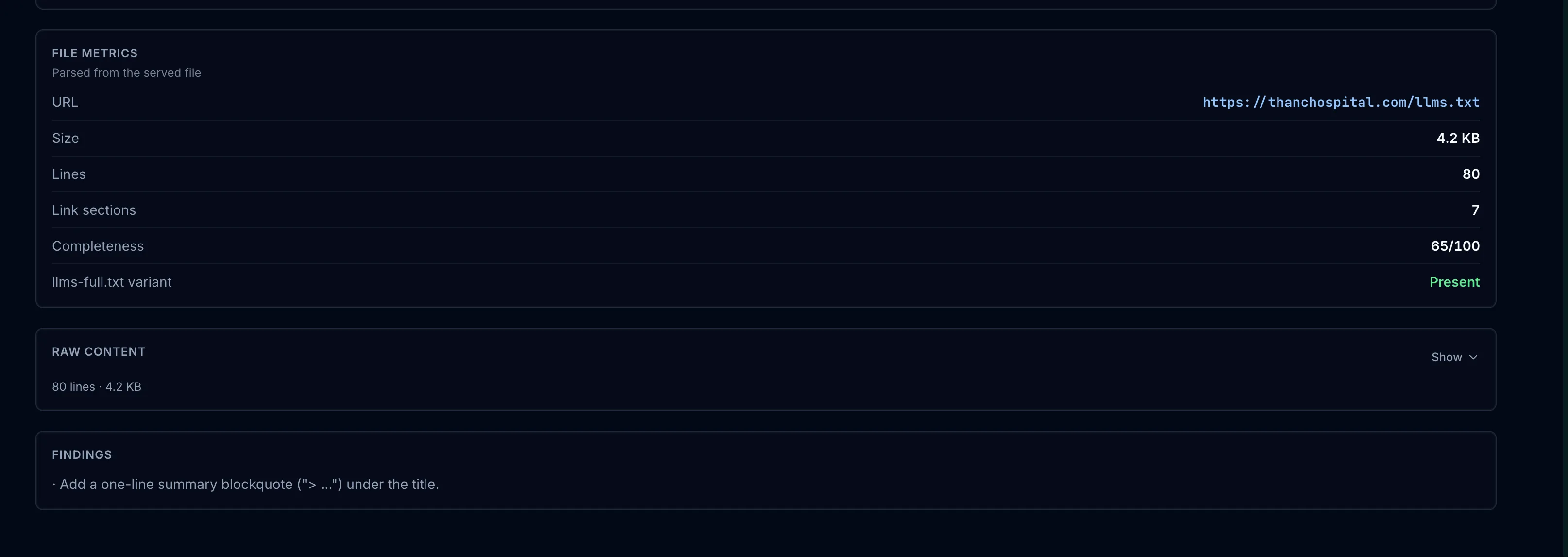
The LLMs.txt tab checks the emerging files that guide AI crawlers to the content worth citing: llms.txt, its llms-full.txt full-content variant, and ai.txt crawler directives. Quick answers report which are present and a completeness score out of 100, measured against the expected spec shape — an H1 title, a summary blockquote, then link sections. A spec structure panel breaks that score down check by check (title, summary, link sections, well-formed links), and findings name the specific fix, such as adding a one-line summary blockquote under the title.
As ChatGPT, Perplexity, and Gemini send real traffic and citations, a missing or
malformed llms.txt is a growing gap.
Security findings gate more than the padlock icon. An expired certificate or a downgrade off HTTPS undermines trust across every page the audit scored. Treat it as a site-wide blocker, not a cosmetic warning.
Overview tab
The Overview tab summarizes a single page — its SEO score, a Google search preview, category scores, what's working, and the full issue list.
The Visualizer
The Visualizer maps a crawled site as an interactive graph — color-coded by depth, status, or issues, grouped into clusters, with per-node drill-in and CSV export.