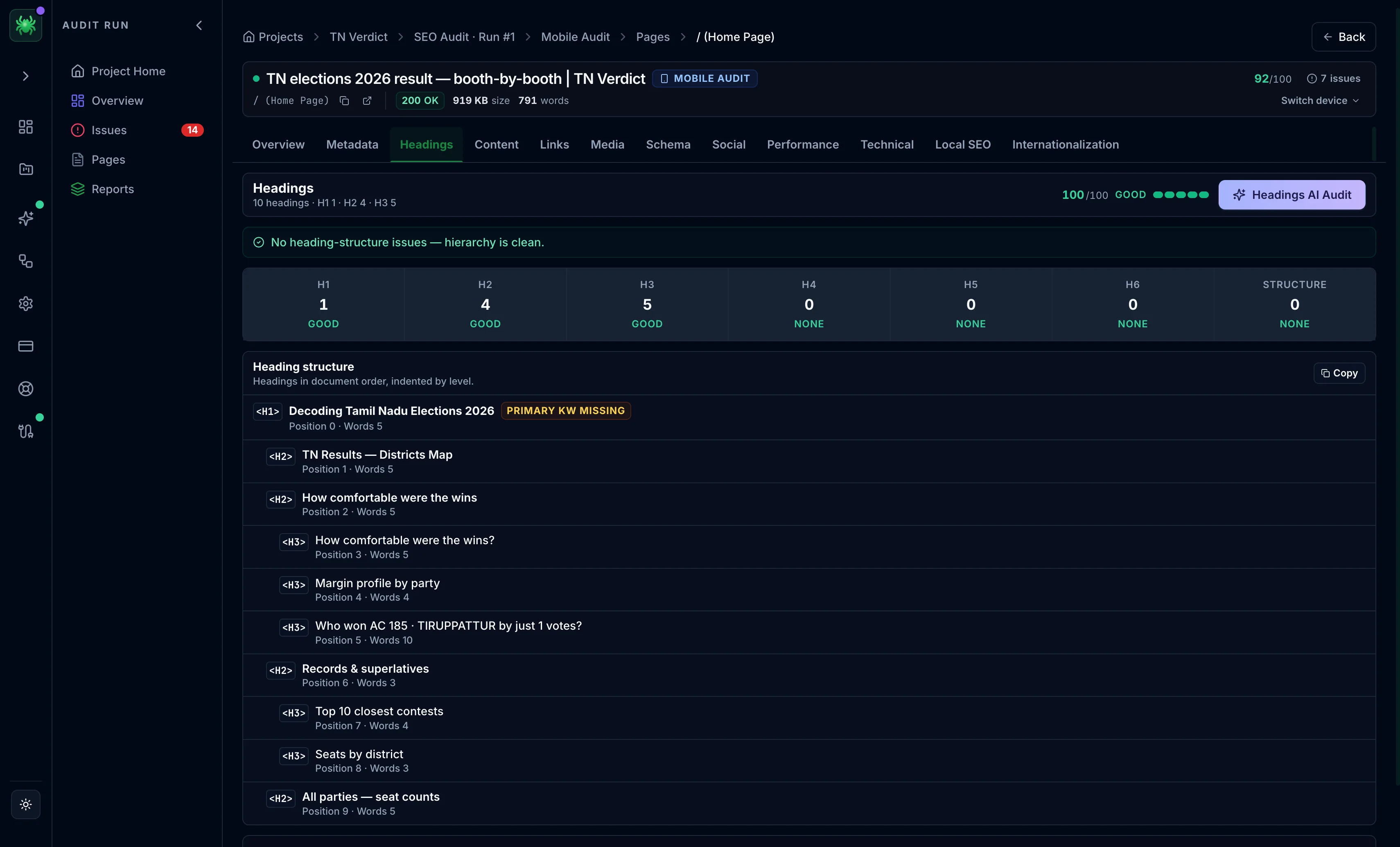
Headings tab
The Headings tab validates the H1–H6 outline, flags structural problems, and can fix the structure with AI.
The Headings tab maps the page's H1–H6 outline and flags the structural problems that confuse both readers and search engines. A clean heading hierarchy tells Google what a page is about and how its sections nest. A missing or duplicated H1, or a skipped level, weakens that signal and hurts accessibility. Any heading-structure issues appear in a card at the top. The tab's score is the page's headings score.
Count grid
A grid shows the count for each level, H1 through H6, plus a Structure cell. Each cell carries a one-word status:
- H1 — Missing (zero found), Multiple (more than one), or Good (exactly one). Google expects exactly one H1 per page.
- H2–H6 — None, Too many (more than 200 at a level), or Good.
- Structure — the count of failed heading checks, shown as Issues or clean.
An amber banner appears below the grid when the page does not have exactly one H1, or when the structure has hierarchy issues, spelling out the specific problem.
Heading structure
The full outline is listed in document order, indented by level, with each heading's tag, and its position and word count where available. The H1 carries a primary keyword chip: green when the extracted focus term is present in the H1, amber when it is missing. Use it to confirm the page's main heading targets its topic. The first 20 headings show by default, with a "Show all" control for longer pages. A Copy button exports the outline as indented text.
A page can have several H2s and lower levels. That is expected and healthy. The one-per-page rule applies only to the H1. The value of H2–H6 is a logical, unbroken nesting, not a specific count.
AI action
On paid tiers, the Headings AI Audit reviews the outline. An AI action can fix the heading structure, proposing a corrected hierarchy you can copy into the page.
Fix the H1 first: a missing or duplicated H1 is the highest-leverage heading problem, since it is the strongest structural signal of what the page is about. Correct skipped levels (an H4 directly under an H2) second.