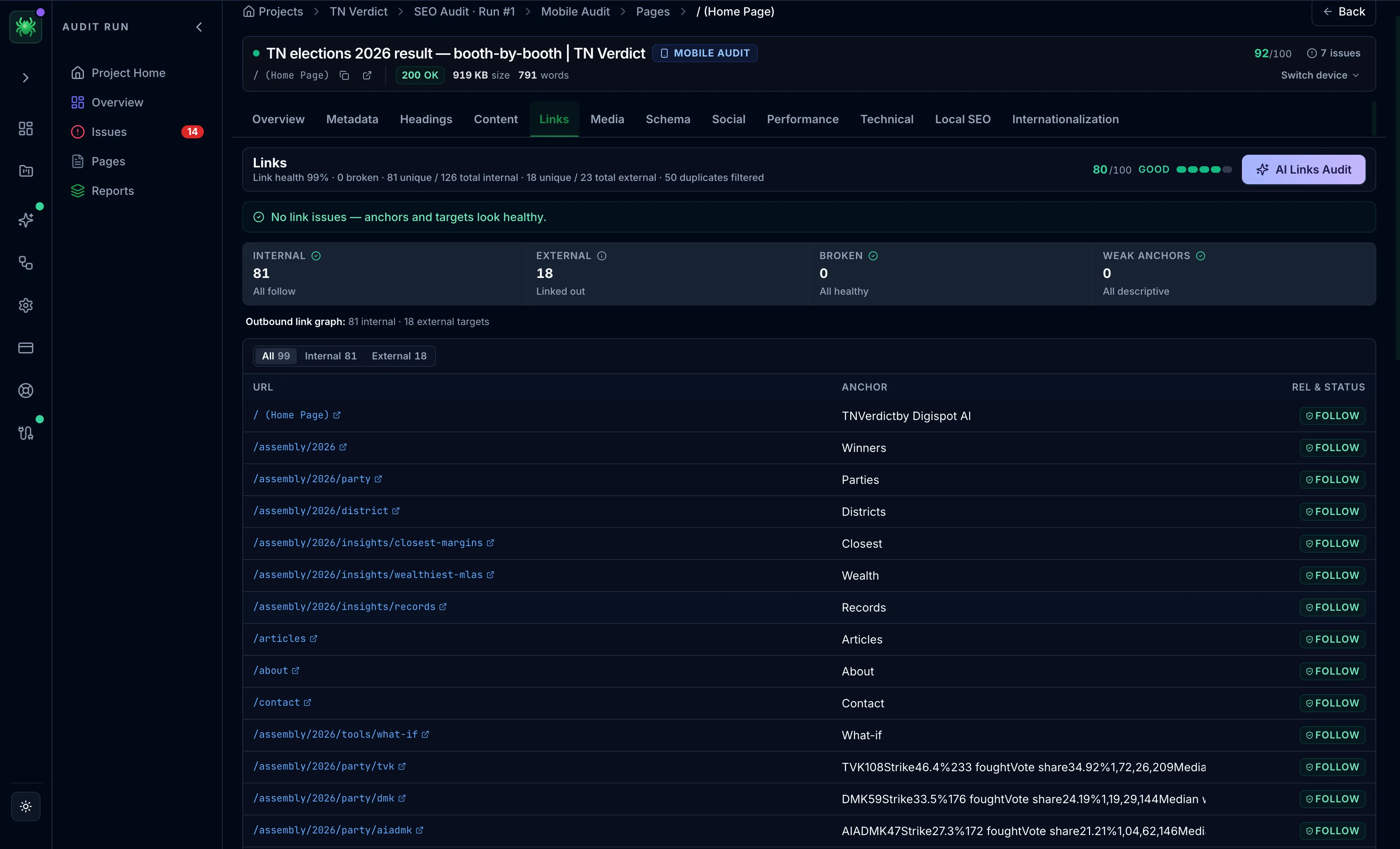
Links tab
The Links tab reports link health, broken and unreachable links, weak anchors, and a filterable table of every link on the page.
The Links tab inventories every link on the page and scores its link health. Internal links spread ranking equity and help crawlers discover pages. External links and anchor text shape how both Google and readers understand what a page points to. Broken links waste crawl budget and frustrate users. This tab is where they get caught before they compound across a site.
Link metrics
A row of tiles summarizes the page's links:
- Internal and External counts, with nofollow noted
- Broken links — flagged to fix immediately, since they dead-end users and crawlers
- Unreachable — links to pages the crawl could not fetch (a timeout or bot wall, distinct from a confirmed 4xx)
- Weak anchors — empty and generic anchor text such as "click here" or "read more", which carry no topical signal
Link table
The full list is filterable by All / Internal / External / Other, with columns for:
- URL — the destination, marking insecure
httplinks - Anchor — the visible text, flagging generic or empty anchors
- rel & status — follow/nofollow and any error code returned
On paid tiers, the Links AI Audit reviews the link profile and prioritizes what to fix.
An unreachable link is not necessarily broken. The crawl could not confirm its status — often a slow response or a bot wall on the target — so verify it in a browser before removing the link.
Rewrite generic anchors before hunting for new links. Descriptive anchor text on the internal links you already have passes a clearer topical signal to the target page, at no extra crawl cost.