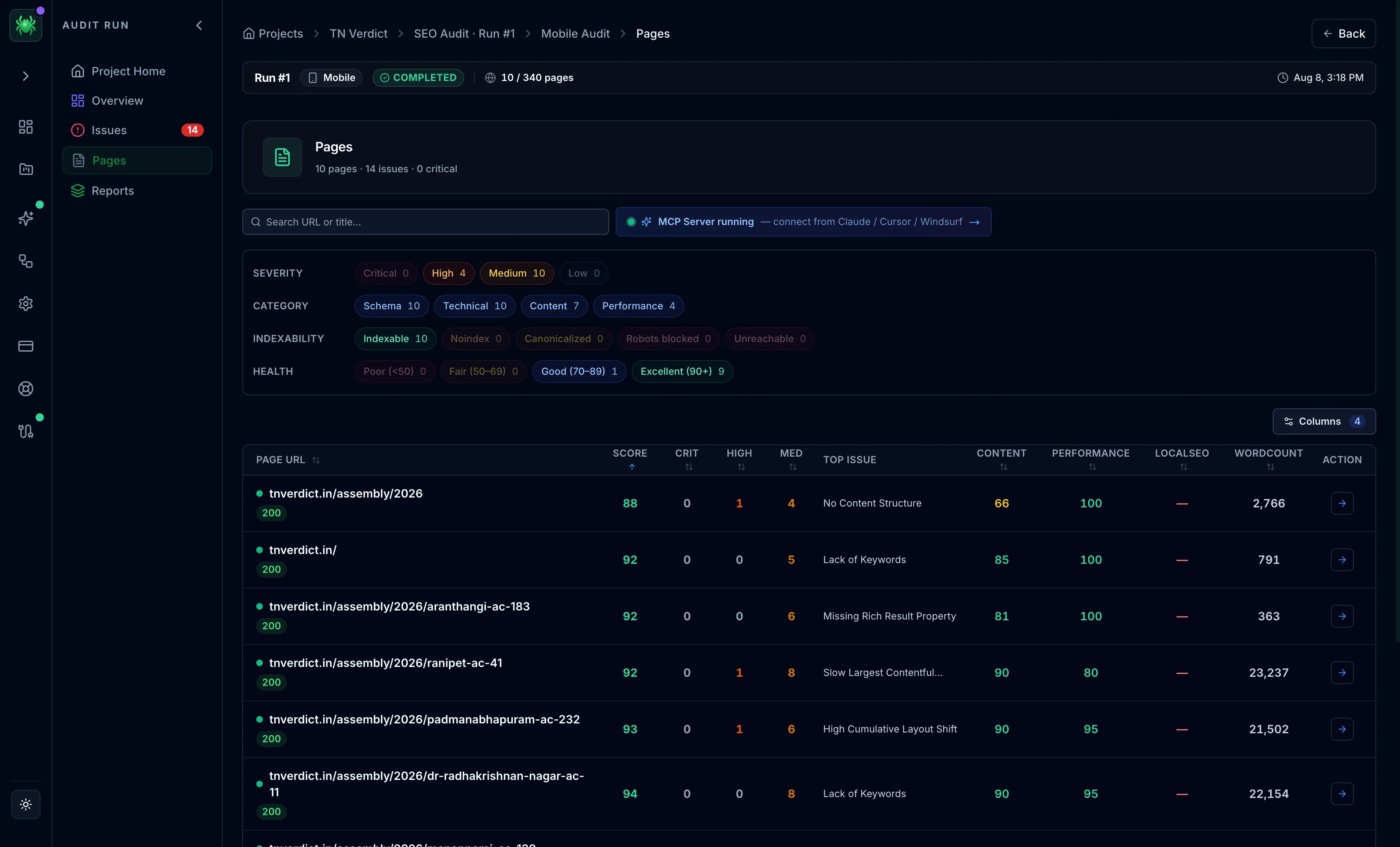
Pages list
The Pages tab lists every crawled URL with toggleable score columns and faceted filters, so you can slice a crawl any way you need.
After a crawl, the Pages tab lists every URL Spider found, as a sortable grid you can filter down to exactly the pages you care about. It is the working list for a crawl. Sort by the score that matters, filter to the pages that need attention, and open any row for its full page report.
Columns
A column picker toggles which scores and stats appear, so you can build the view that fits the task. Every column is sortable, so you can lead with the worst pages on any axis. Sort Content ascending to surface the thinnest pages, or Depth descending to find pages buried too far from the homepage.
- Per-category scores — Indexability, Content, Headings, Media, Links, Schema, Social, Performance, Local SEO
- Word count, Depth (clicks from the homepage), Response time, and Page size
Each category cell shows the same 0–100 score and A–F grade used across Checks & Scores. A red cell points straight at the category to open in the page report.
Filters
A faceted filter rail narrows the list to a subset before you start working it:
- Severity — critical, high, medium, low
- Indexability — indexable, noindex, canonicalized, robots-blocked, unreachable
- HTTP status — 2xx, 3xx, 4xx, 5xx
Filters combine, so you can isolate a precise cut. For example, indexable pages returning 2xx that still carry a critical issue. Select any page to open its full report.
Start from the Indexability filter, not the scores. A page marked
noindex, robots-blocked, or canonicalized can't rank regardless of its
other columns. Clearing unintended exclusions comes before tuning content
or performance.