
SEO Recipes
Build repeatable, multi-step SEO audits with Spider's workflow engine — crawl, analyze, and act in one automated run.
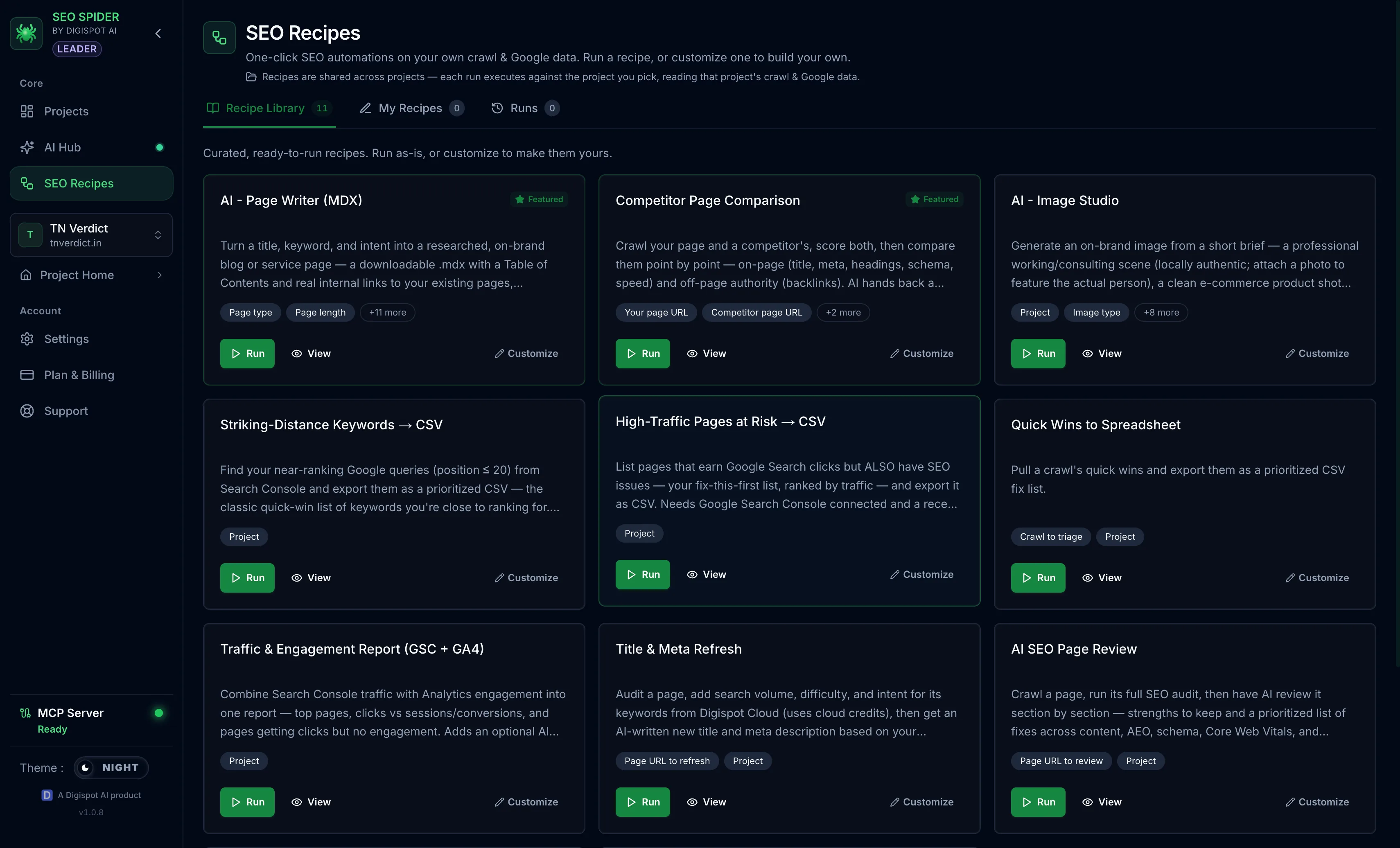
SEO Recipes is Spider's workflow engine — think "n8n for SEO." Instead of running each step by hand, you chain crawler and AI steps into a single repeatable workflow you can run again and again.
Before you start: recipes that include AI steps need an AI provider connected first. Use either your own key (BYOK) or Digispot-managed credits. See AI features to set that up. AI is available on the Tracker and Leader plans. See Plans & tiers.
How it works
A recipe is a graph of steps that run in order, passing results from one to the next. For example: crawl a site, pull the critical issues, run an AI summary, and produce a prioritized action list. Runs are durable, so a long workflow can resume rather than start over if it is interrupted.
Step types
Steps fall into a few families, and a recipe mixes them freely:
- Crawler steps — crawl a site or a single page, then pull the audit data, crawl insights, broken links, or duplicates from the result
- AI steps — summarize a crawl, audit or compare pages, rewrite copy, draft a blog post, or generate a cover image
- Data steps — pull Google Search Console data, keyword data, or internal-link structure into the run
- Logic and output steps — branch on conditions, transform values, and shape the final output
Because steps pass their results forward, an AI step reasons over the exact data the crawler step just produced, not a generic prompt.
Templates and your own workflows
- Template gallery — start from pre-built recipes for common jobs
- My Workflows — save and re-run your own
- Run view — see the workflow graph, step-by-step results, and any errors, and compare results between runs
Recipes automate the steps within a single run you start: crawl, analyze, act. They are not scheduled or triggered automatically. You run a recipe when you want it, the same as any other crawl.
Running from an AI agent
Recipes can also be run through the MCP server, so an AI assistant can list and trigger your workflows and read back the results.