Social
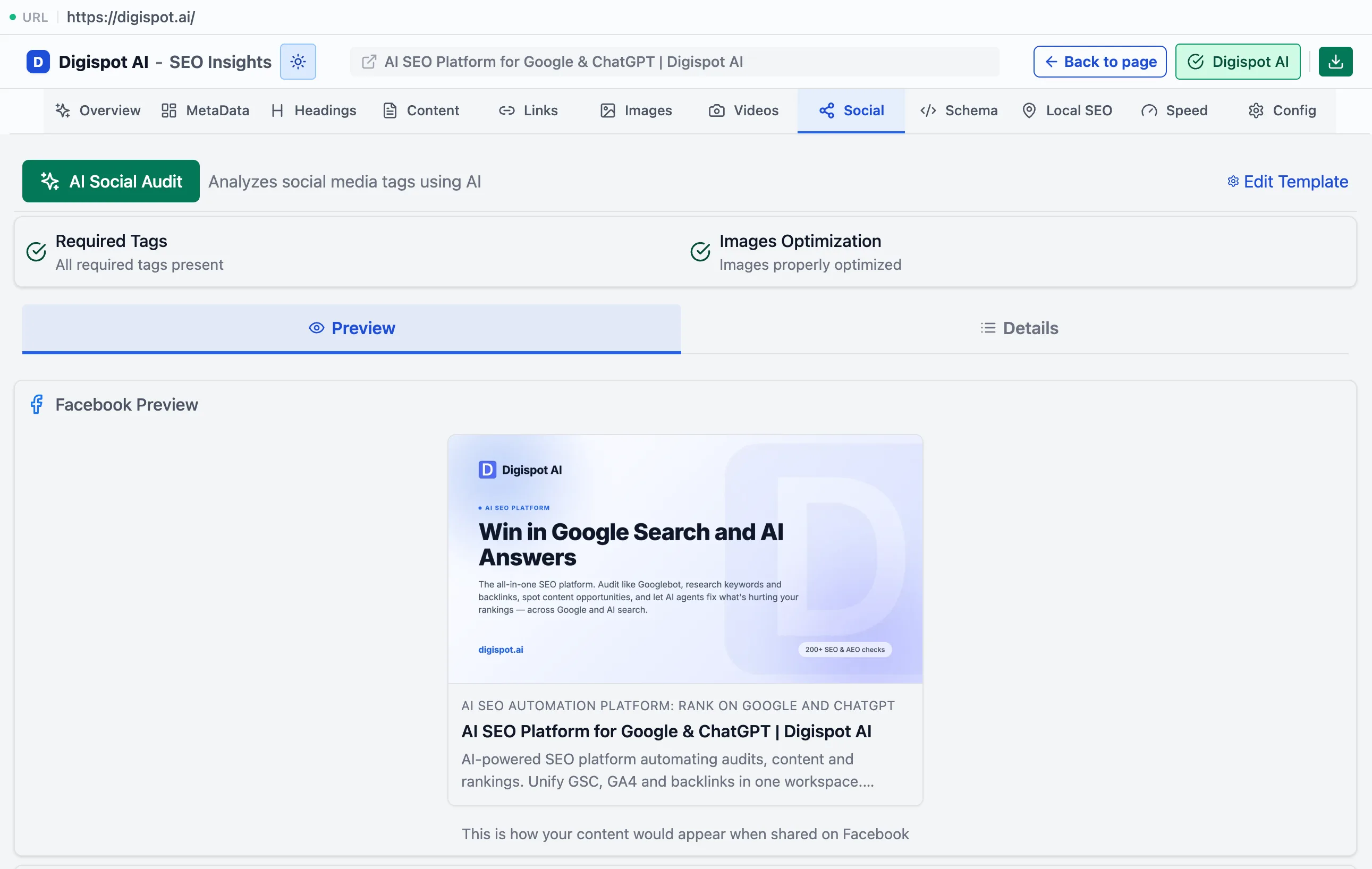
The Social panel validates Open Graph and Twitter Card tags and renders a live preview of how the page looks when shared.
The Social panel checks the tags that control how a page looks when shared on social platforms, and previews the result before you post it. Open Graph and Twitter Card tags don't affect Google rankings. They do decide whether a shared link shows a rich card with an image and title or a bare URL, and that difference drives click-through on every share. A missing image tag can quietly halve the appeal of every link to the page.
Tag validation
The panel audits both tag sets and highlights what is missing.
- Open Graph — title, description, image, URL, and type. These are the minimum set for a rich card, so missing any one is a must-fix
- Twitter Card — the card type and its required fields
- A required tags section listing the gaps in one place
- Image optimization — dimensions and aspect ratio checks. A share image that will crop or render small is caught before it ships
The image and card-type recommendations follow these bands.
| Tag | Recommended | Notes |
|---|---|---|
| og:image | 1200×630 px, 1.91:1 | 600×315 is the minimum; below that, or the wrong ratio, is a must-fix |
| twitter:card | summary_large_image | Plain summary uses a small square thumbnail and underperforms |
| og:title | up to ~60 chars | Can differ from the page <title> — optimize it for feed clicks |
| og:description | ~150–200 chars | Can be more promotional than the meta description |
Live preview
Below the checks, the panel renders a Facebook preview and a Twitter preview from the page's actual tags. Cropping, a missing image, or a truncated title show up as they will in a real feed, not as a list of values.