
Managed AI (Extension Key)
Connect a free Digispot account with an Extension Key to run AI through Digispot instead of your own key, and unlock server-side field data, PageSpeed, and domain age.
The extension's AI features can run through your own provider or through Digispot. Bring your own key (BYOK) connects a provider you already pay for. The free Digispot Extension Key is the other option. It runs AI through your Digispot account. It also unlocks a few server-side data lookups the browser cannot fetch on its own.
Both are optional. Every audit check works without either.
BYOK vs Extension Key
| BYOK | Extension Key | |
|---|---|---|
| You provide | Your own provider API key | A free Digispot account |
| Where AI runs | Direct from your browser to the provider | Through your Digispot account |
| AI billing | You pay your provider directly | Managed by Digispot |
| Premium lookups | — | CrUX field data, PageSpeed lab tests, domain age |
When an Extension Key is connected, Digispot AI (managed) becomes your active provider and your own BYOK providers are turned off. Disconnect the Extension Key to switch back to your own key.
Connect an Extension Key
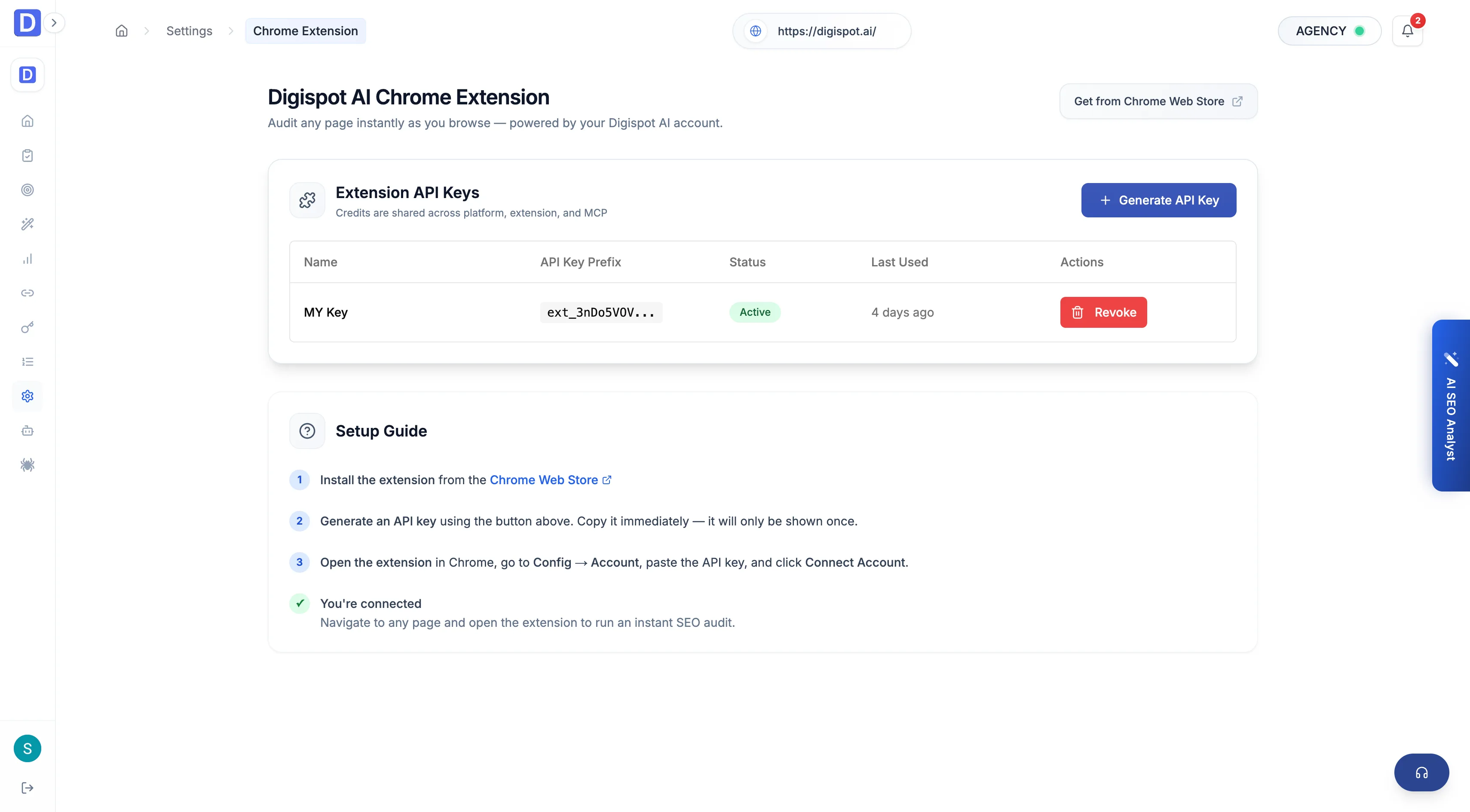
Get your key
Sign in at app.digispot.ai, go to Settings →
Chrome extension, and select Generate Key. Copy the value. It starts
with ext_.
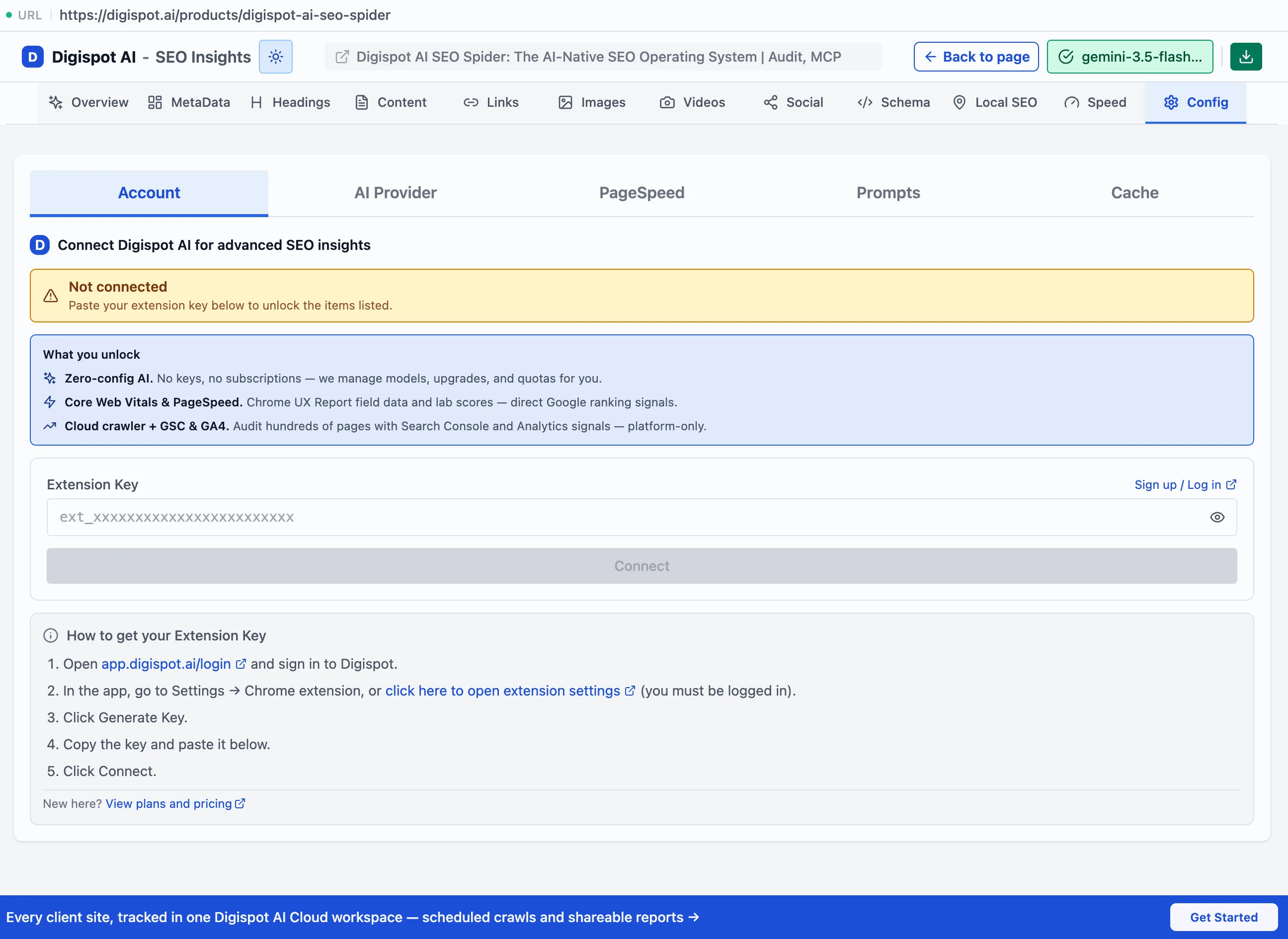
Paste it into the extension
Open the extension's Config → Account panel, paste the key into the Extension Key field, and select Connect. The extension validates it and switches AI to the managed provider.
Premium lookups
Some signals need a server call that a browser extension cannot make directly. With an Extension Key connected, the extension can fetch them through Digispot, on demand. They are fetched only when you ask for them. Domain age, for example, shows a Check domain age button rather than fetching automatically.
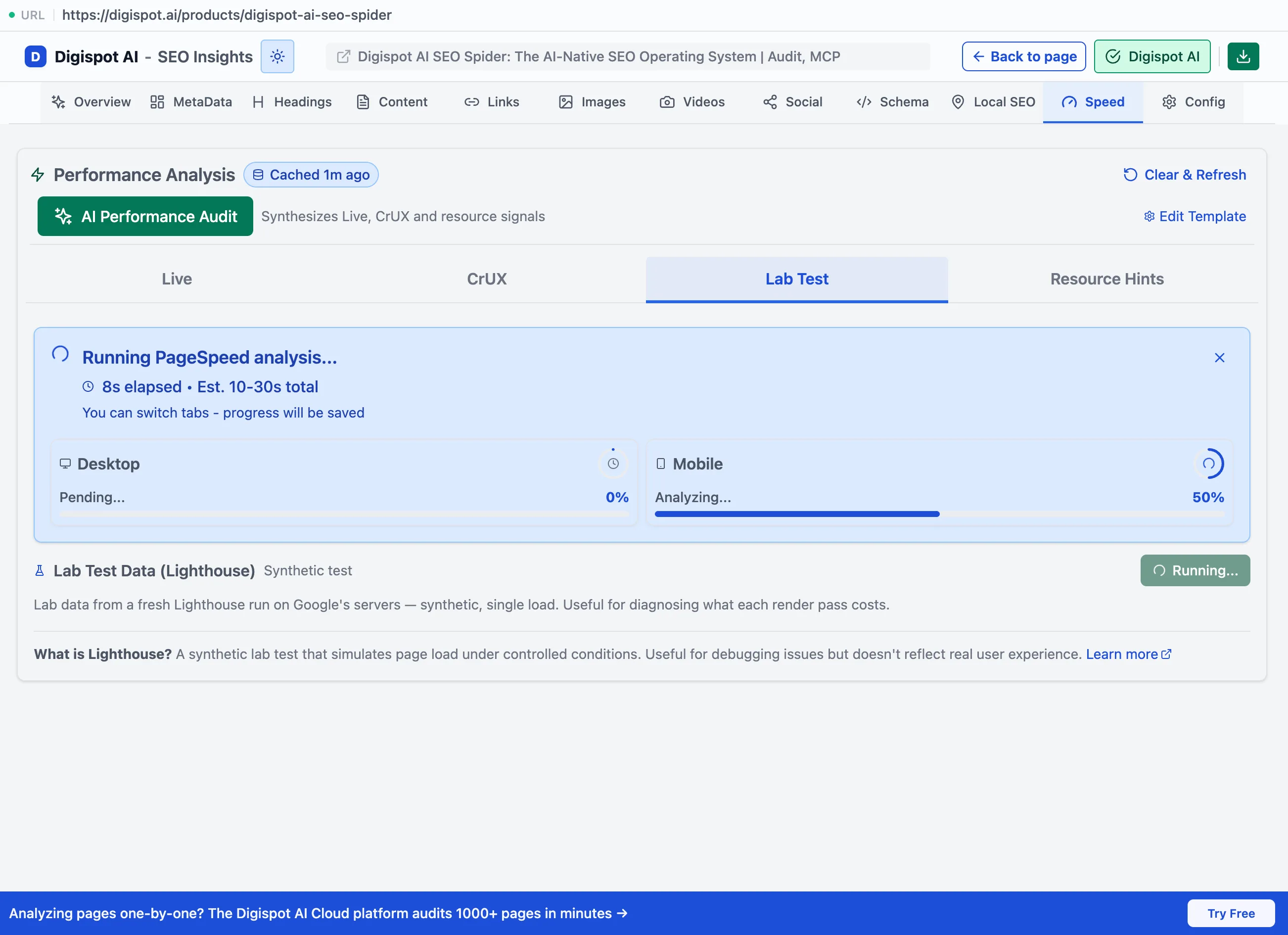
The two performance lookups live under Speed → Performance Analysis. They sit alongside a Live tab that the extension can always measure locally. That way you can compare a browser-measured page load against real field data and a fresh lab run in one place.
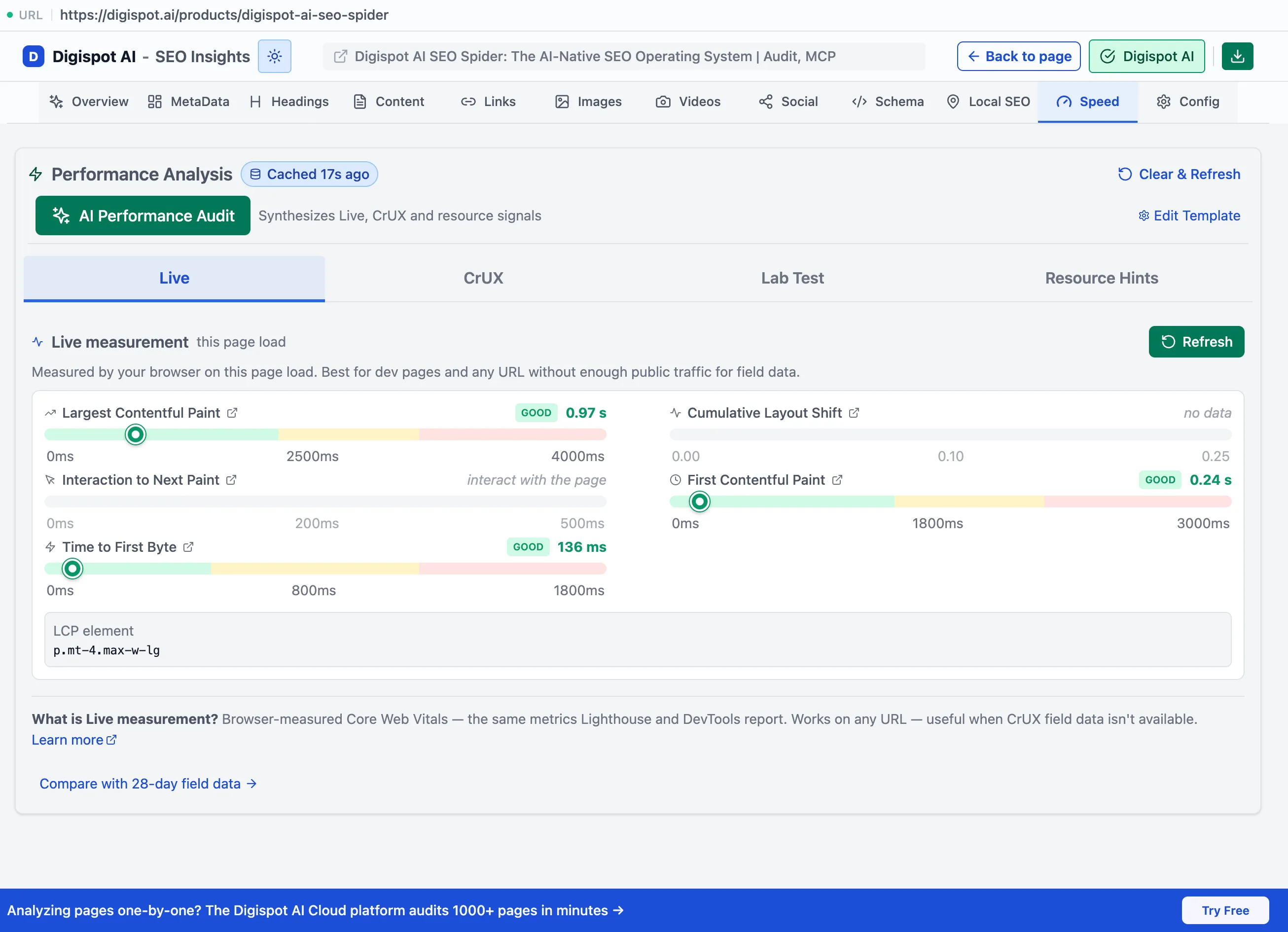
Live measurement (no key needed)
The Live tab measures Core Web Vitals from your own browser on the current page load, so it works without an Extension Key. It is the local baseline that the premium tabs are compared against.
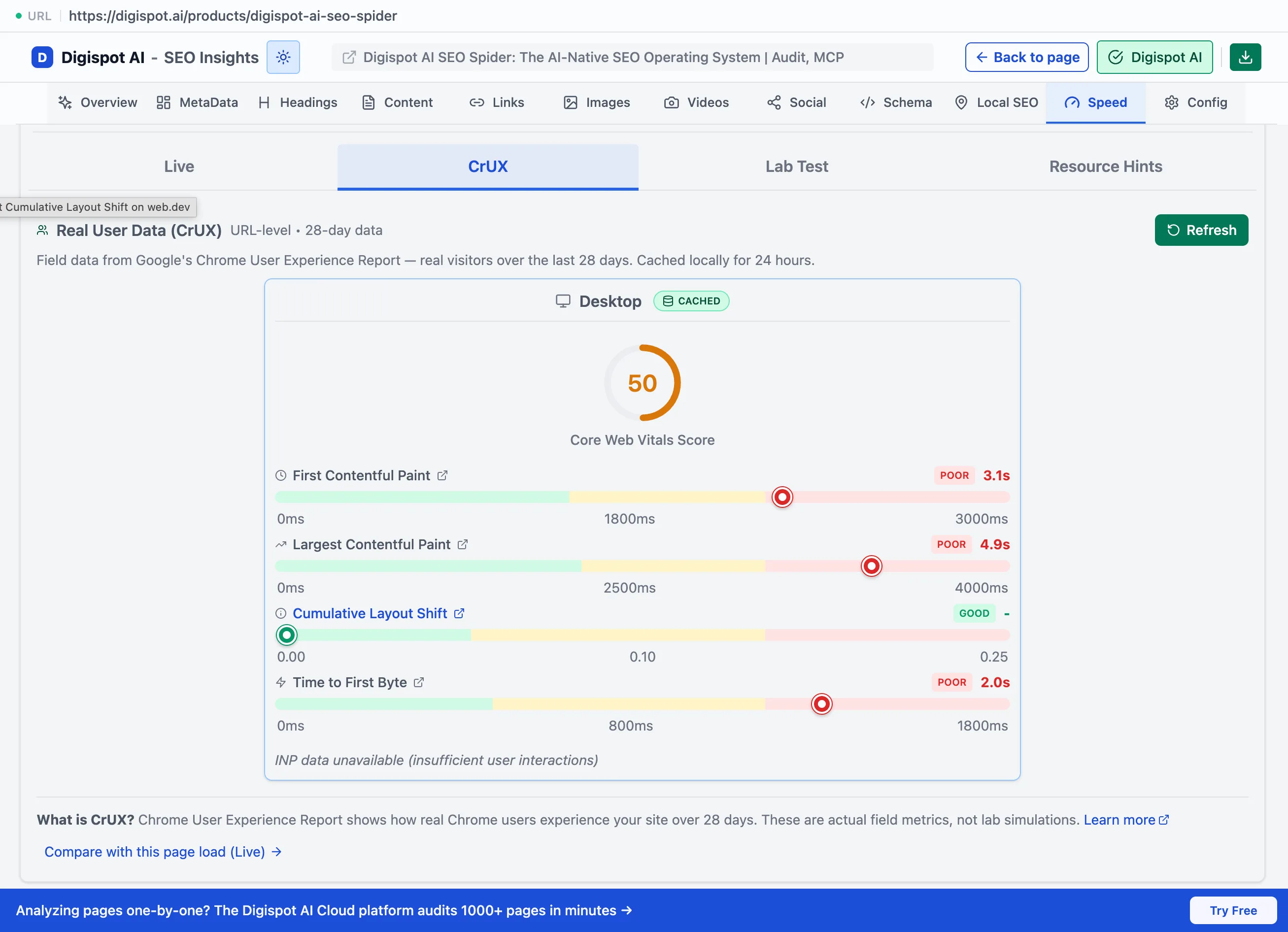
CrUX field data
CrUX field data is aggregated real-user Core Web Vitals from Google's Chrome User Experience Report over the last 28 days. It is a server lookup the browser cannot make on its own. Results are cached for 24 hours.
PageSpeed lab test
The Lab Test tab triggers a fresh Lighthouse run on Google's servers for desktop and mobile. This is a synthetic, controlled page load. It is useful for diagnosing what each render pass costs when field data is unavailable.
Domain age
Domain age is an E-E-A-T trust signal for the site. It runs only on your click, via a Check domain age button, rather than fetching automatically.
Core audits are fully local. Managed AI and premium lookups are different: they make requests through Digispot's servers. That is the trade-off for not managing your own API keys or vendor access. See Privacy.