
Install the Extension
Install Digispot AI — SEO Insights from the Chrome Web Store and run your first on-page audit or SERP analysis in under a minute — no account, no card.
SEO Insights is Digispot's free browser extension. It audits the page you are on with 150+ checks and analyzes Google results pages. Everything runs in-browser using Chrome's own rendering engine. There is nothing to install beyond the extension, no account to create, and nothing to pay for.
The extension has two modes that switch automatically: the On-Page SEO Auditor on any normal page, and SERP Intelligence on a Google results page. Core auditing needs no signup. AI features and server-side lookups are optional add-ons covered in the last two steps.
Before you begin
| What | Do you need it? |
|---|---|
| This extension | A Chromium browser is all you need to start |
| SEO Spider desktop app | Optional. Escalate a single page to a whole-site crawl. Free Scout tier |
| Cloud Platform | Optional. Run audits on Digispot's servers and share them with a team |
All three share one Digispot account if you later connect one, but the extension works fully on its own.
Step 1 — Install and run your first audit
Find the extension
Open the Digispot AI — SEO Insights listing directly, or search digispot ai chrome extension. The Chrome Web Store listing ranks at the top. Digispot AI — SEO Insights, the free Chrome extension covers features and screenshots before you install.
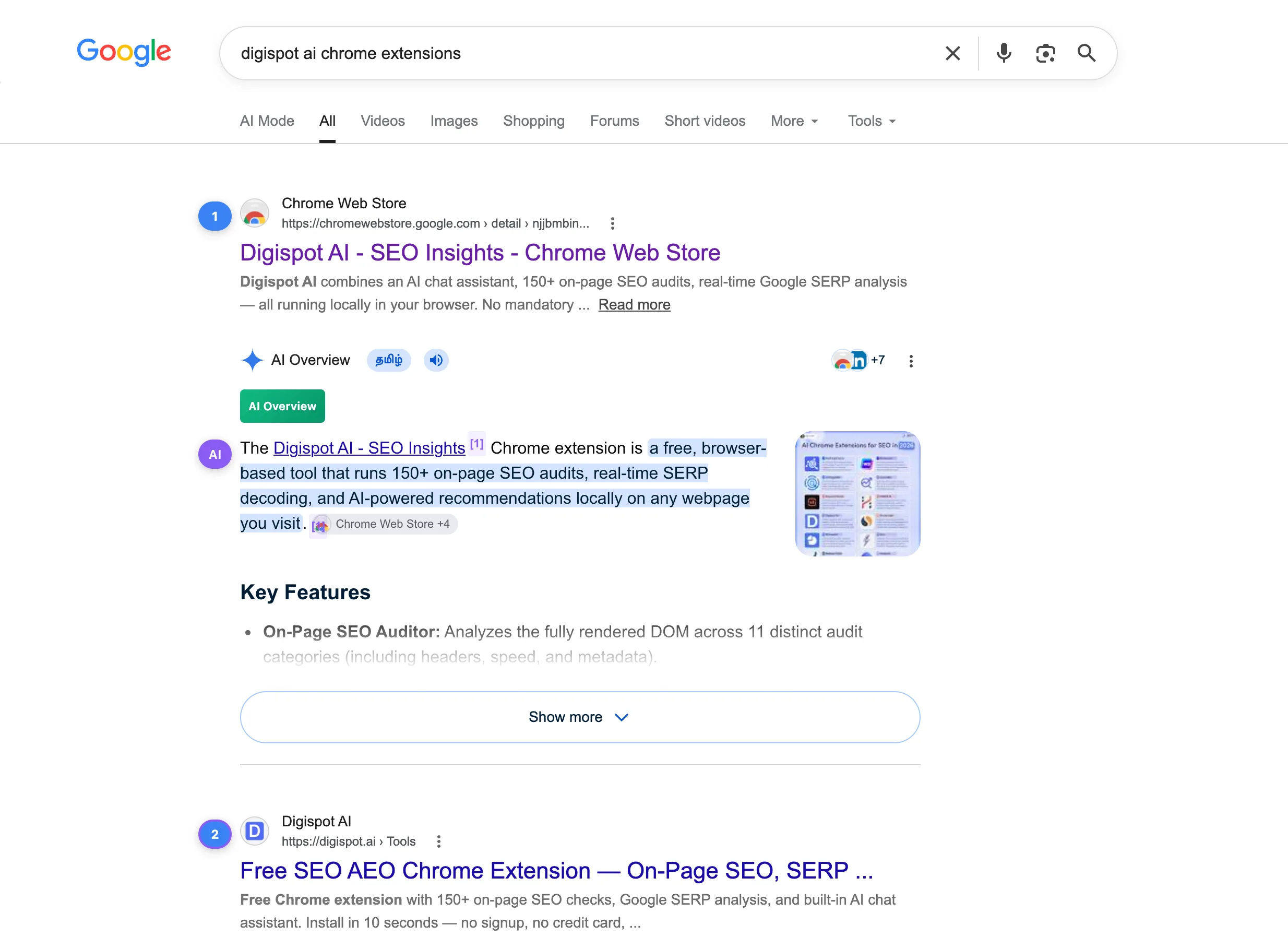
Add it to your browser
On the listing, select Add to Chrome, then confirm. Chromium-based browsers install from the same listing: Edge, Brave, Opera, and Vivaldi.
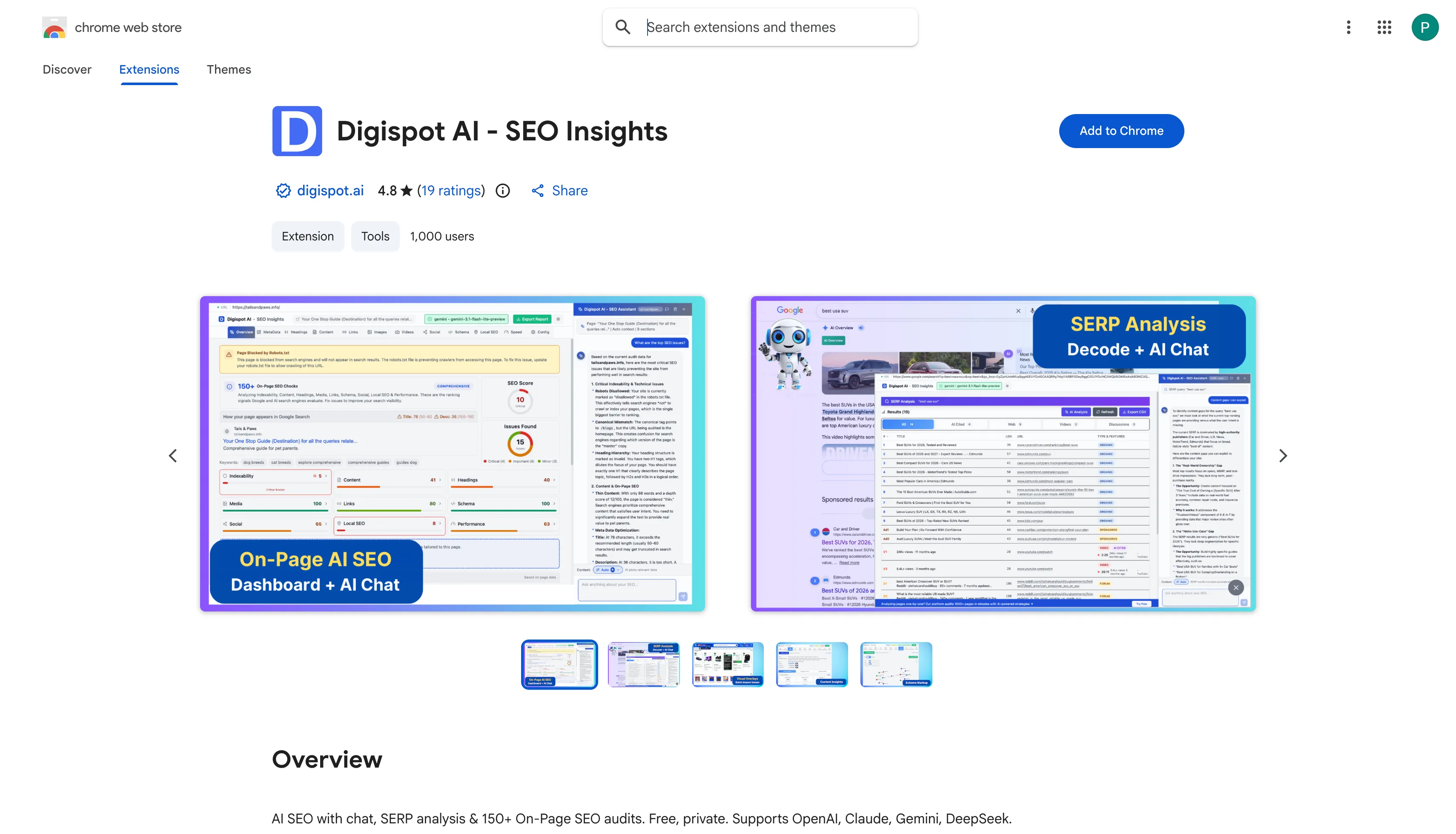
Pin it to your toolbar
Select the extensions icon in the toolbar, then pin Digispot so the icon stays visible. You will be clicking it often.
Run your first audit
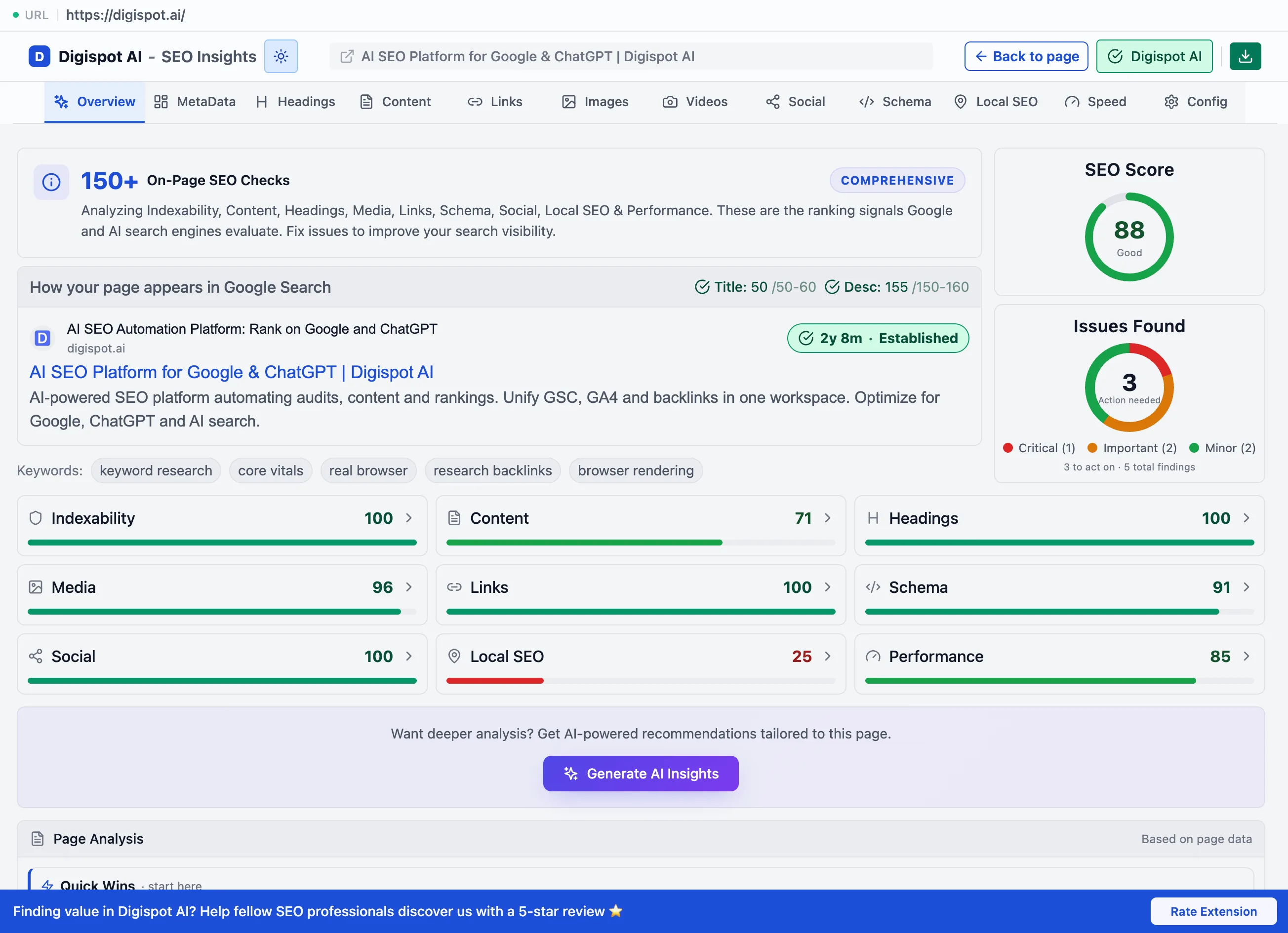
Navigate to any page and select the Digispot icon. The extension runs 150+ checks across 11 categories in under 60 seconds, then groups the results with pass/fail indicators. It renders the page the way Googlebot does, so it catches JavaScript-injected content that source-only tools miss.
Step 2 — Learn the viewing modes
The same audit data renders three ways. Most people start in Popup for a quick check. They switch to Visualize to show an issue in context on the page. They use Fullscreen for a deep audit with charts and AI side by side.
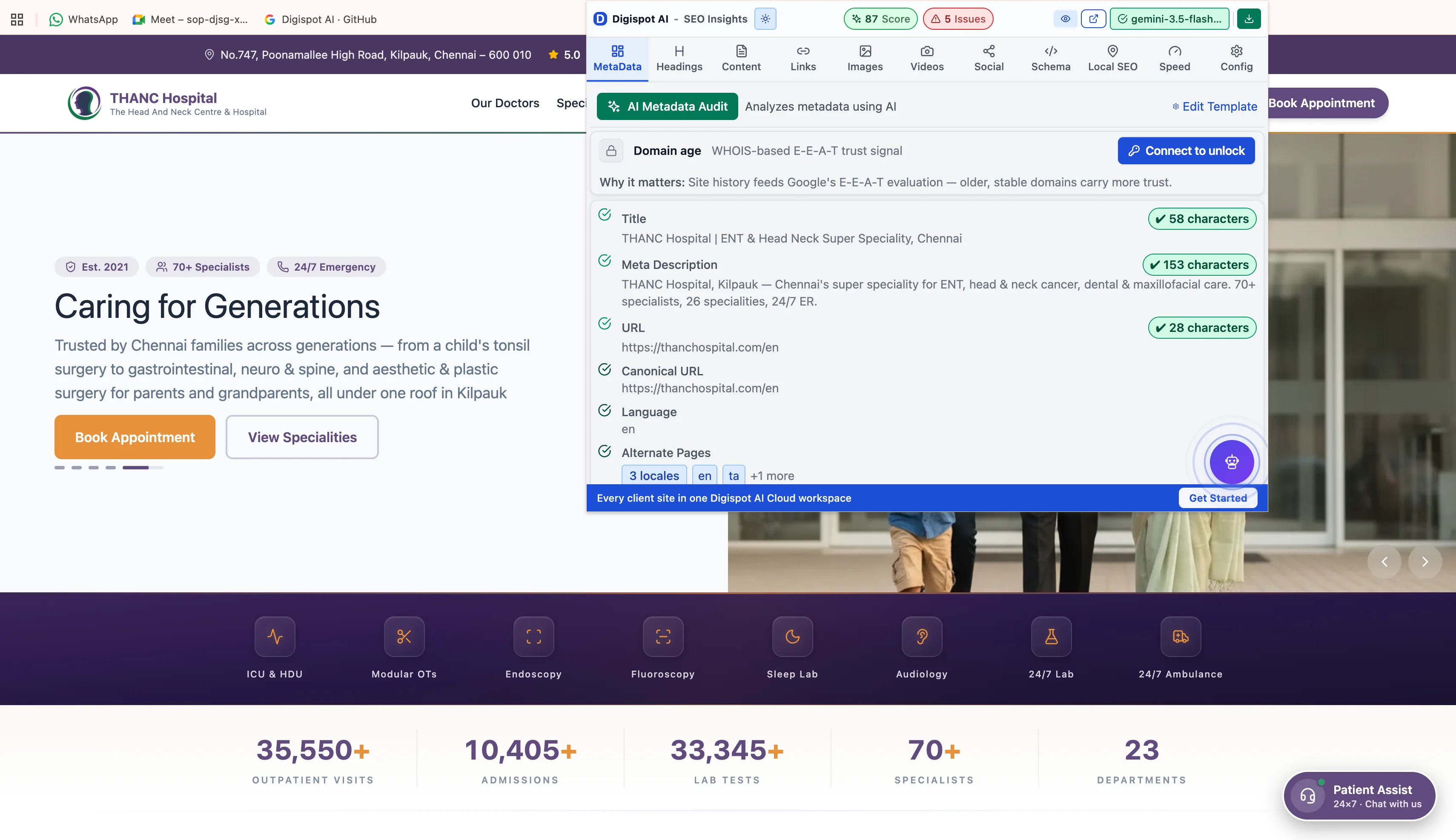
See Viewing modes & overlays for the on-page badge system that marks headings, images, and links directly on the page.
Step 3 — Analyze a Google results page (SERP Intelligence)
On any of the 17 supported Google country domains, the extension switches automatically to SERP Intelligence. It reads the results page and breaks it down by result type: organic, ads, local pack, and AI Overview. This shows you what already ranks for a query.
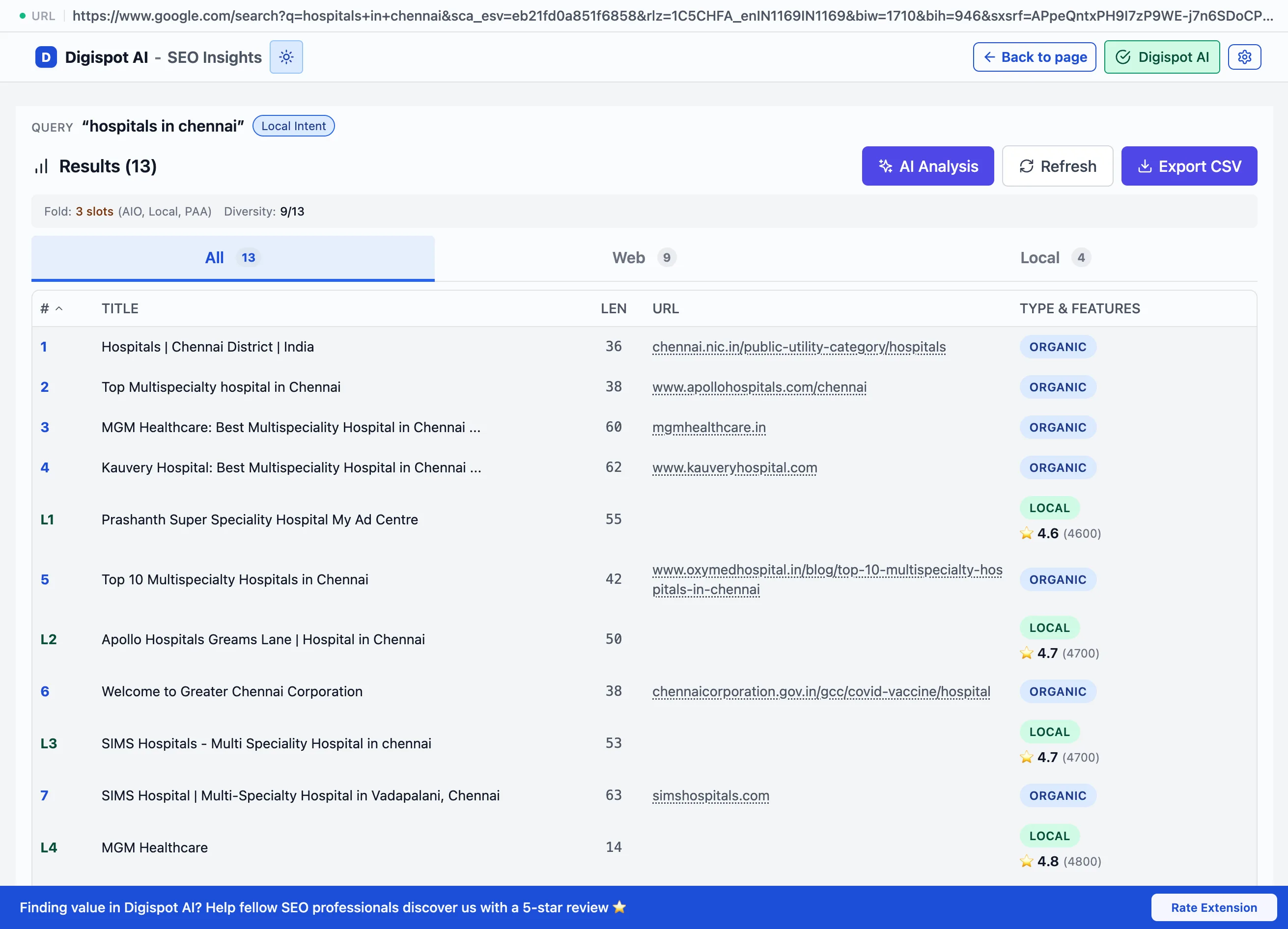
See SERP Intelligence for the full breakdown of ranking signals and competitor analysis.
Step 4 — Add AI (optional)
Connect an AI provider to unlock AI recommendations, one-click fixes, and AI Chat with full page context. This is optional, since every audit check works without it. You have two paths:
- Bring your own key (BYOK): paste an OpenAI, Anthropic, Google, or DeepSeek key. Requests go directly from your browser to that provider, never through Digispot.
- Digispot Extension Key: a free managed option that also unlocks server-side CrUX, PageSpeed, and Domain Age lookups.
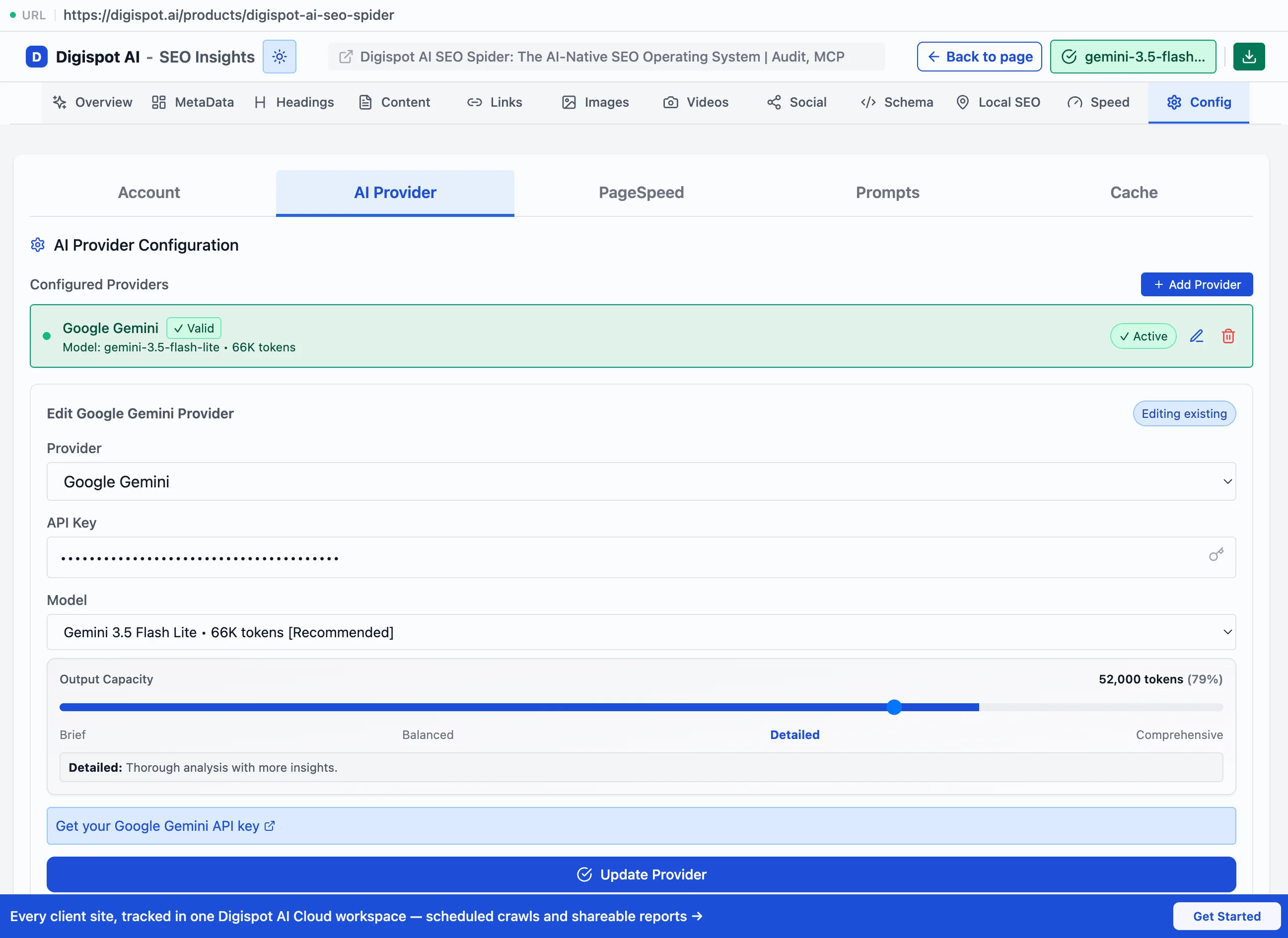
See Connecting an AI model for BYOK setup and Managed AI for the Extension Key.
Requirements
| Browser | Google Chrome, or any Chromium-based browser (Edge, Brave, Opera, Vivaldi) |
| Account | None for core auditing |
| Payment | None |
| AI API key | Optional. Only for AI features, or use a free Extension Key |
| PageSpeed API key | Optional. Removes rate limits on Core Web Vitals |
The extension works on any public website: your own, a competitor's, a client's, or a prospect's. It is equally useful for auditing pages you do not control.
Verify it is working
Open any content-heavy page and select the extension icon. You should see results grouped into categories such as Metadata Audit, Heading Structure, and Core Web Vitals.
If nothing appears, confirm the extension is enabled at chrome://extensions.
Also confirm you are on an http:// or https:// page. Browser-internal pages
like chrome:// cannot be audited.
When to reach for the other products
The extension audits one page at a time. Sometimes a single-page finding turns out to be site-wide, such as a broken template or a missing schema type across every product page. In that case, escalate:
- SEO Spider desktop app crawls the whole site on your own machine, applying the same checks across every URL. The Scout tier is free: 100 pages per crawl, no card.
- Cloud Platform runs those crawls on Digispot's servers and shares the reports with a team.