
Connecting an AI Model
Bring your own API key (BYOK) to enable AI recommendations, prompt automation, and AI Chat in the extension.
The extension uses BYOK, short for Bring Your Own Key. You connect your own AI provider API key. There are no extension-imposed usage limits, and you pay only for what you use, typically around $0.01–0.05 per page.
Every audit check works without AI. Connecting a key adds recommendations, one-click fixes, prompt automation, and AI Chat.
Keys are stored in your browser's encrypted storage. They never leave your device and never touch Digispot's servers. Calls go directly from your browser to the provider.
Supported providers
Connect any one of four providers with your own key: OpenAI, Anthropic, Google (Gemini), and DeepSeek. One provider is enough.
Each offers a range of models. There is a flagship tier for the deepest analysis, a balanced tier, and a fast, economical tier for high-volume auditing. Since you pay the provider directly, the model you pick sets your cost and speed.
Providers add and retire model versions over time. For that reason, the extension's model dropdown, not a fixed list, is the source of truth for exactly which models you can select today.
Get an API key
Create a key in your provider's console: OpenAI, Anthropic, Google AI Studio, or DeepSeek. Any one provider is enough.
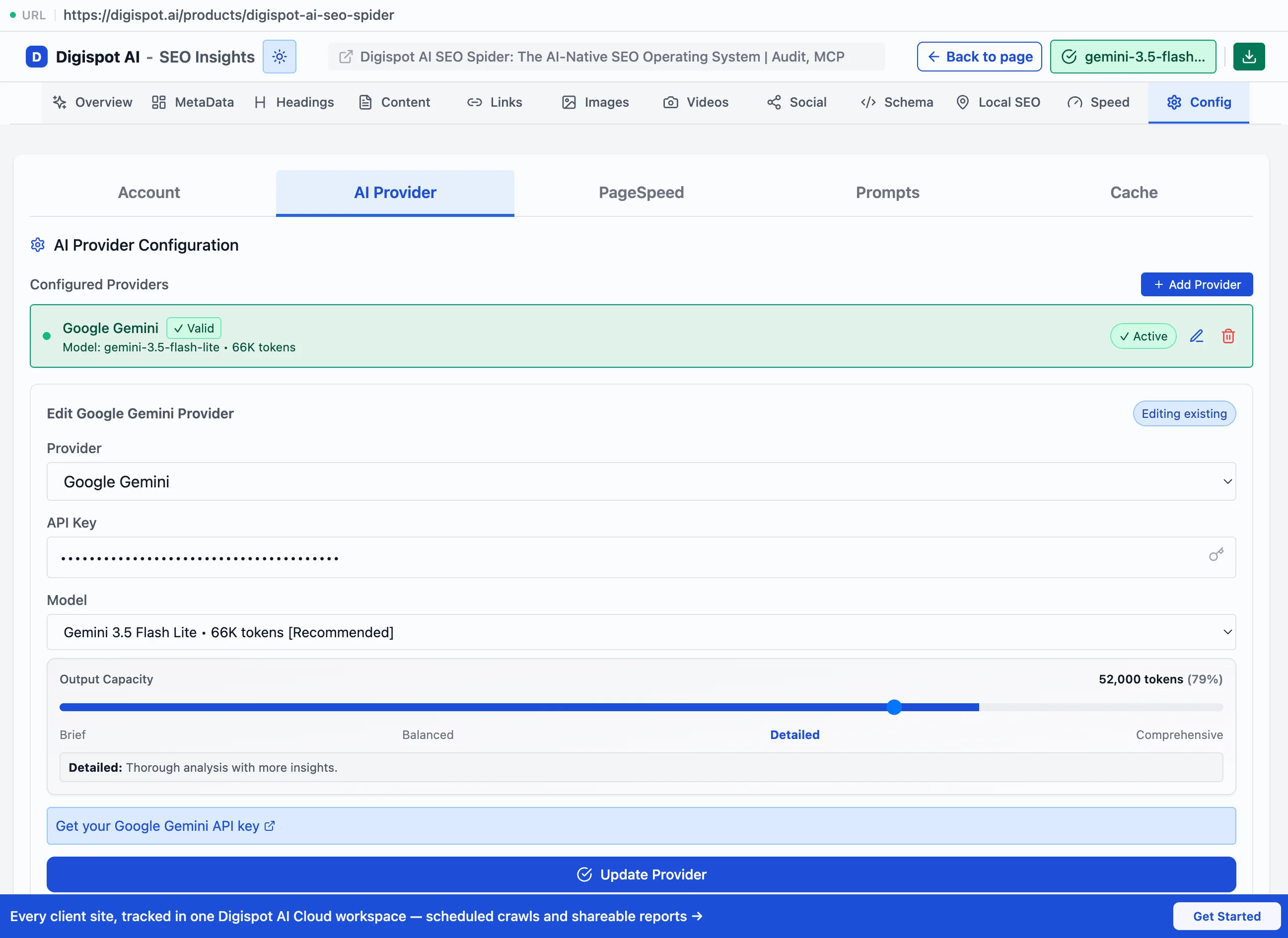
Add it to the extension
Open the extension's settings, choose your provider, and paste the key.
Pick a model and detail level
Select any model from your provider's dropdown. Since you pay your provider directly, cost and speed depend on which model you choose. The Output Capacity slider sets how long each response runs, with four levels: Brief, Balanced, Detailed, and Comprehensive. Use it to trade depth against token cost.
AI Chat
Once a key is connected, AI Chat opens alongside your audit results with full context of the page's SEO data. That covers all 150+ results, including metadata, headings, content, schema, links, and Core Web Vitals.
Because it sees the actual audit output, answers are page-specific rather than generic:
- "What are the top issues hurting my rankings?"
- "Rewrite my meta description for higher CTR"
- "Suggest internal linking opportunities"
- "How do I fix this schema error?"
In SERP Intelligence mode, AI Chat answers questions about the search landscape and competitors instead.
Prompt automation
All 150+ audit results feed automatically into prompt templates you define. This lets you run repeatable analyses on any page with one click, without writing code or wiring up an external automation tool.
Template placeholders
Templates use placeholders that are replaced with the current page's data:
| Placeholder | Inserts |
|---|---|
{{content}} | Page content |
{{keywords}} | Detected keywords |
{{headings}} | H1–H6 structure |
{{metadata}} | Title and description |
{{schema}} | Structured data |
{{images}} | Image analysis |
{{links}} | Link data |
{{pagespeed}} | Core Web Vitals |
Each audit type has its own applicable placeholders. Write a template once, then reuse it across pages.
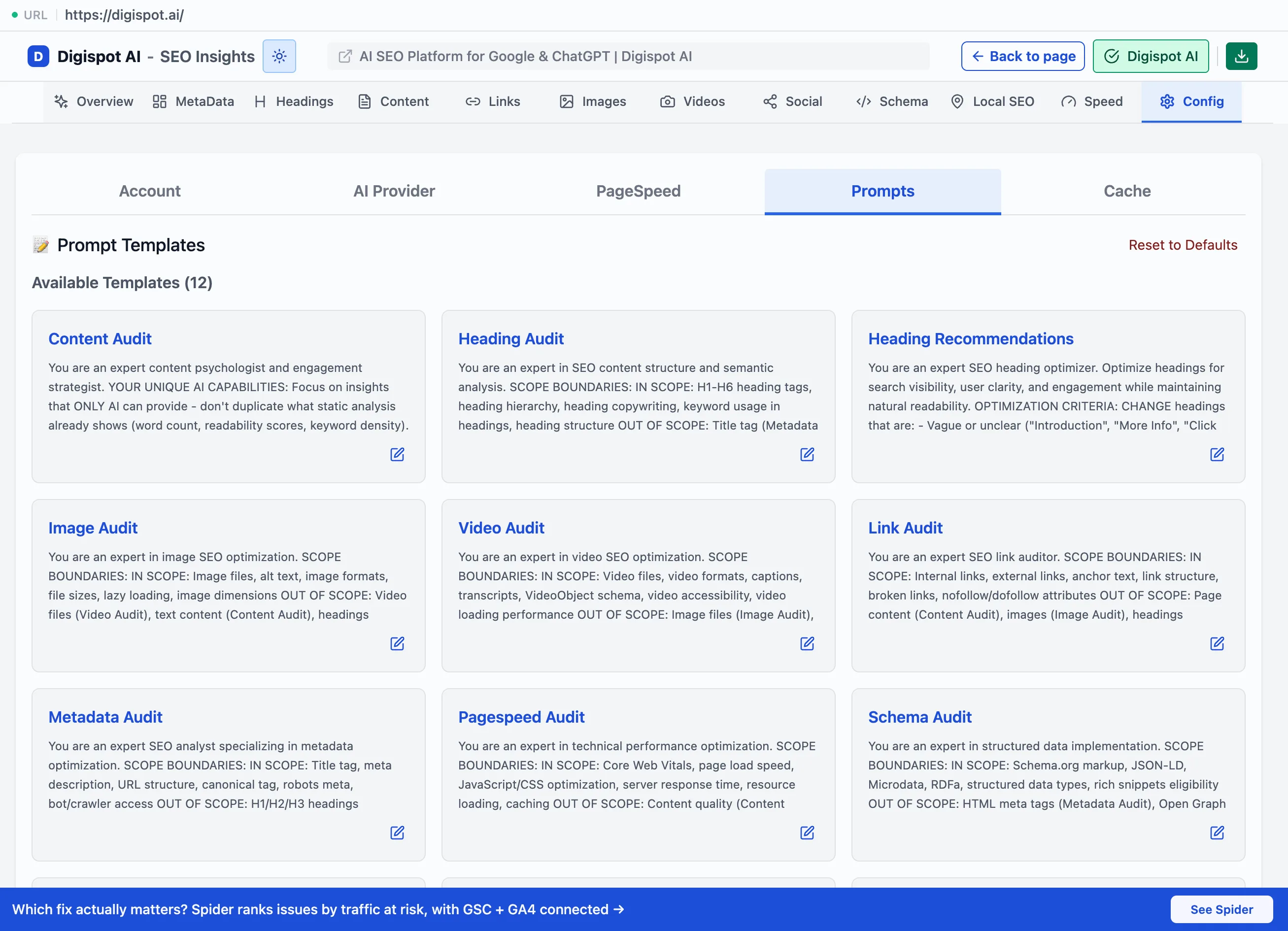
Good first templates: generate meta descriptions from page content, check search-intent match, or draft the missing schema for a page.
PageSpeed API key (optional)
Core Web Vitals come from Google PageSpeed Insights. The extension works without a key. Adding a free one from the Google Cloud Console removes rate limits and gives faster, more detailed analysis.
Like AI keys, it is stored encrypted locally and used only for direct calls to Google.
API keys are credentials tied to your billing. Treat them accordingly: do not paste them into shared machines, and rotate any key you suspect is exposed.
Viewing Modes & Overlays
Popup, Visualize, and Fullscreen modes — plus visual on-page overlays that mark headings, images, videos, and links directly on the page.
Managed AI (Extension Key)
Connect a free Digispot account with an Extension Key to run AI through Digispot instead of your own key, and unlock server-side field data, PageSpeed, and domain age.