Schema
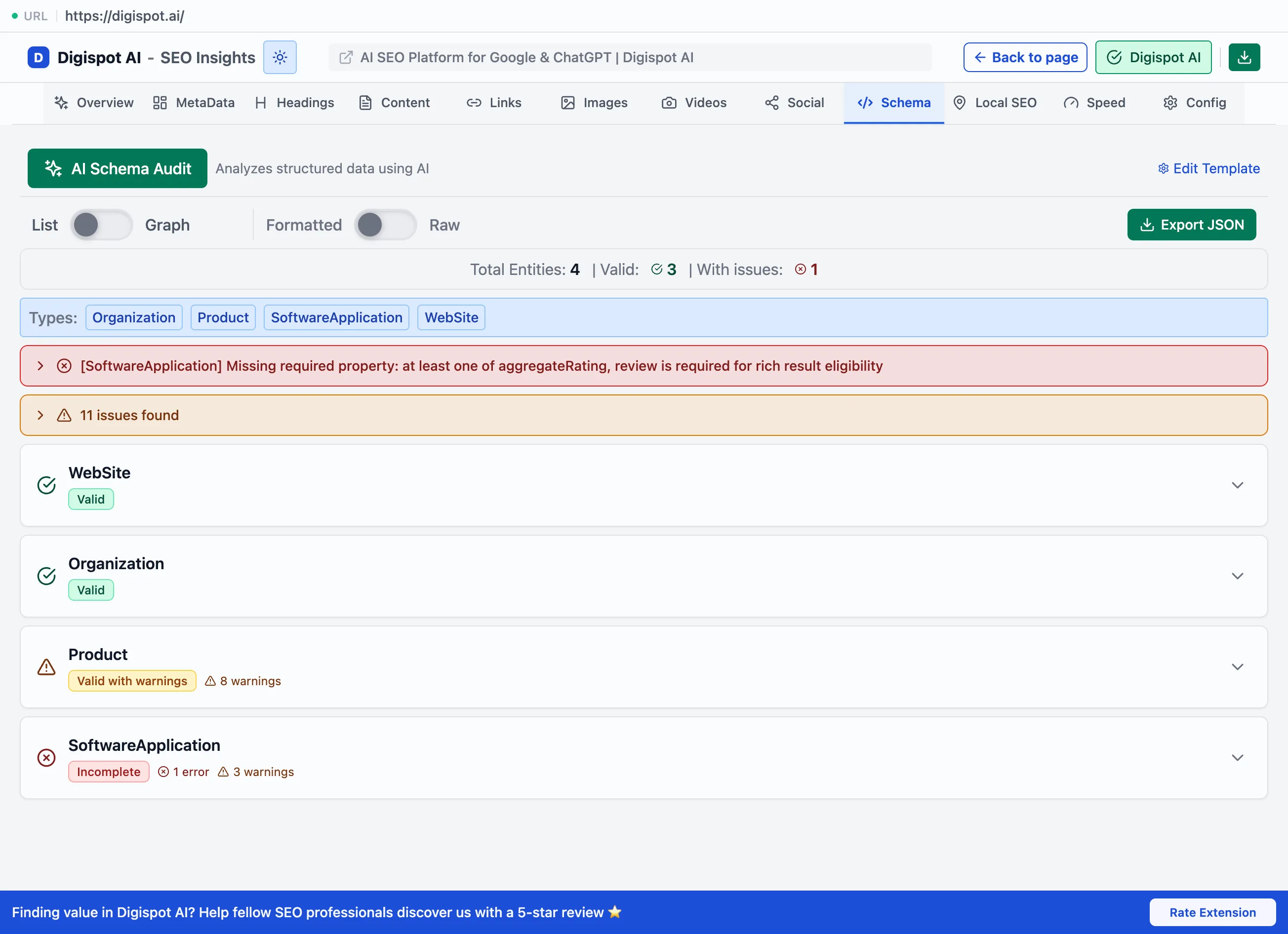
The Schema panel detects structured data, validates it against Google's requirements, and visualizes it as an interactive graph.
The Schema panel finds the structured data on a page, checks it against Google's requirements, and shows how the entities connect. Structured data is what makes a page eligible for rich results such as star ratings, FAQ dropdowns, product prices, and breadcrumbs. It also increasingly shapes how AI answer engines cite a page. Valid schema doesn't guarantee those results, but its absence rules them out entirely.
Detection and validation
The panel reads the page's JSON-LD and reports what's present and whether it's complete enough to qualify.
- 25+ schema types — Organization, Product, Article, FAQPage, LocalBusiness, VideoObject, and more
- Valid vs valid-with-warnings status per block. Valid means it meets every requirement. Valid-with-warnings means it works but is missing recommended properties that would strengthen it
- Required and recommended properties, with missing ones highlighted. Missing a required property disqualifies the block from its rich result. Missing a recommended one only weakens it
- Rich-result eligibility per type, so it's clear which results a page can actually win
A block can be valid JSON-LD and still be ineligible for a rich result if a required property is missing. Read the required-property list, not just the valid/invalid status, before assuming a page qualifies.
Graph and list views
A toggle switches between two views. The interactive graph is a D3 visualization of the schema entities with node dragging, which makes broken or orphaned entity references easy to see. The list view can show the raw JSON.
Export
Export saves the structured data as a JSON-LD file. Copy JSON copies it to the clipboard. Either output is ready to hand to a developer for implementation or to paste into Google's Rich Results Test for a second check.