
Metadata
The Metadata panel audits the title, description, and technical tags that decide how a page is indexed and shown in search results.
The Metadata panel covers the tags that control how a page is indexed and how it appears in search. This includes the title and description a user sees in the results, plus the technical directives that decide whether the page can be indexed at all. It's the first place to look when a page ranks poorly despite good content. A single wrong tag here can suppress everything else.
AI Audit
The AI Metadata Audit button sits at the top of the panel. Until you connect a provider, it reads Unlock AI Audit.
Run it, and it reviews your metadata and returns three sections:
- What's working
- Needs improvement
- Quick wins
Below the review, it suggests SERP rewrites: alternative titles and meta descriptions. Each one has a live character count and a one-click copy. Paste a fix straight into your CMS.
Basic meta
The core card lists each tag with a pass / warning / fail status and a character count. Read it top to bottom, in the order the panel presents it. The title and description carry the most weight, since they're what a searcher actually sees.
At the very top sits Domain age: how long the domain has been registered, shown as an E-E-A-T trust signal (for example, 2y 8m, Established). Fetching it is a server-side lookup, available with a free Extension Key.
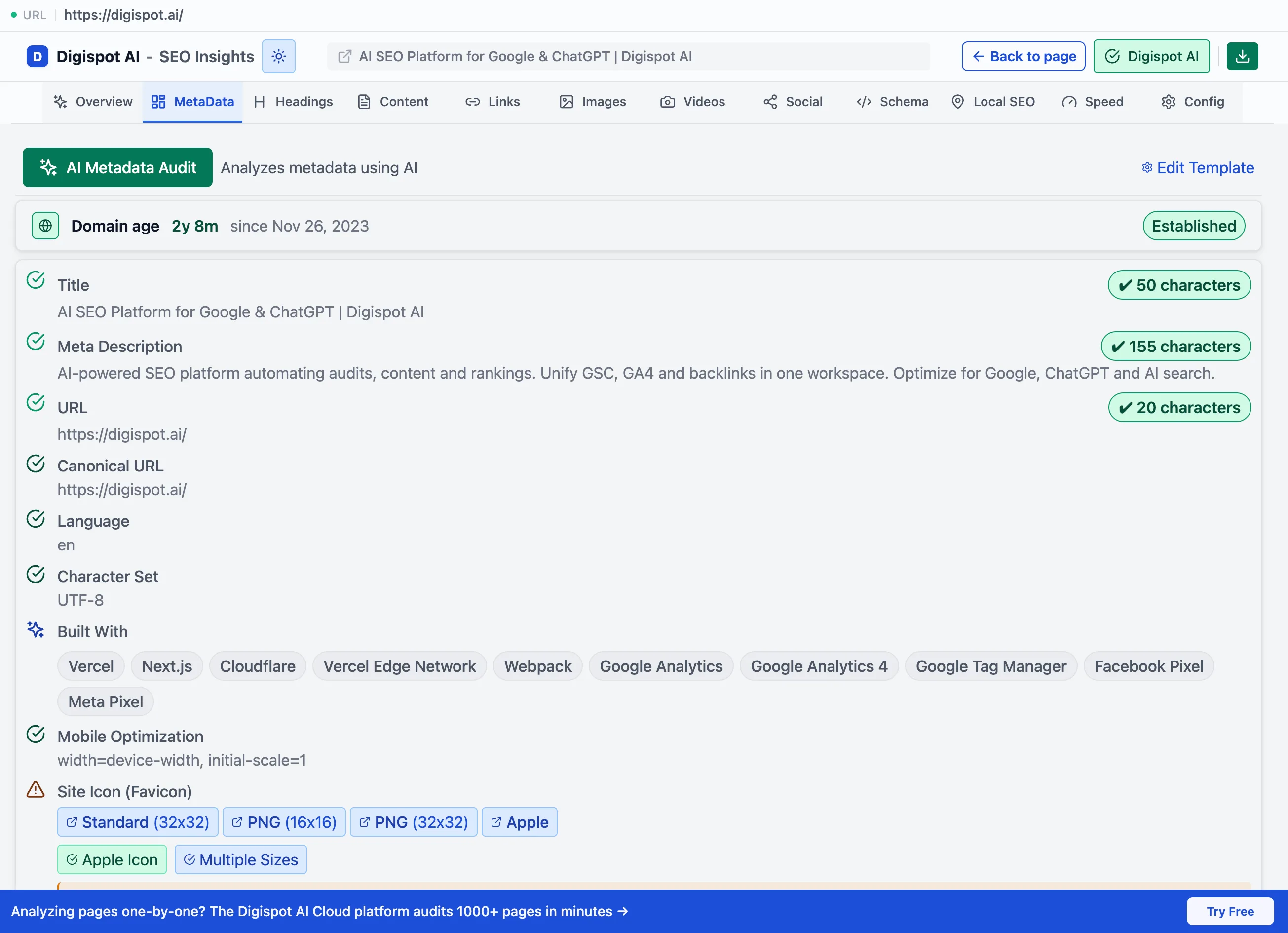
Title and description
| Tag | Optimal length | Why it matters |
|---|---|---|
| Title | 50–60 characters | The strongest on-page ranking signal and the clickable headline in results. Too long and Google truncates it; too short and you waste the space. |
| Meta description | ~120–160 characters | Doesn't rank the page, but a sharp description lifts click-through. Google rewrites weak or missing ones, so you lose control of the snippet. |
The panel also checks keyword placement: whether the primary term appears near the front of the title, where it carries the most weight.
Canonical and URL
- URL: flagged for length and readability
- Canonical URL: the panel marks it as self-referencing (the healthy default), different, or missing. A different canonical means the page points elsewhere. That is correct for duplicates, but a problem if it's unintentional. A wrong canonical is one of the most common causes of a page silently dropping out of the index.
Language and internationalization
- Language: the declared
langattribute checked against the language actually detected on the page, plus BCP-47 validity. This catches a mismatch, for exampleenmarkup on French content. - Alternate pages (hreflang): the locale count and sample codes, including
x-default
Everything else
- Character set, Author & publisher, and Mobile optimization (the viewport tag, required for mobile-first indexing)
- Built with: the detected technology stack, including frameworks, CMS, analytics, CDN, and more
- Site icon (favicon): type, sizes, and any issues. The favicon now shows next to your result on mobile.
Expanding All meta tags lists every tag the page declares, verbatim: viewport, charset, description, keywords, robots, Open Graph, and the rest. Use it to spot a stray or conflicting directive that the summarized rows above don't call out.
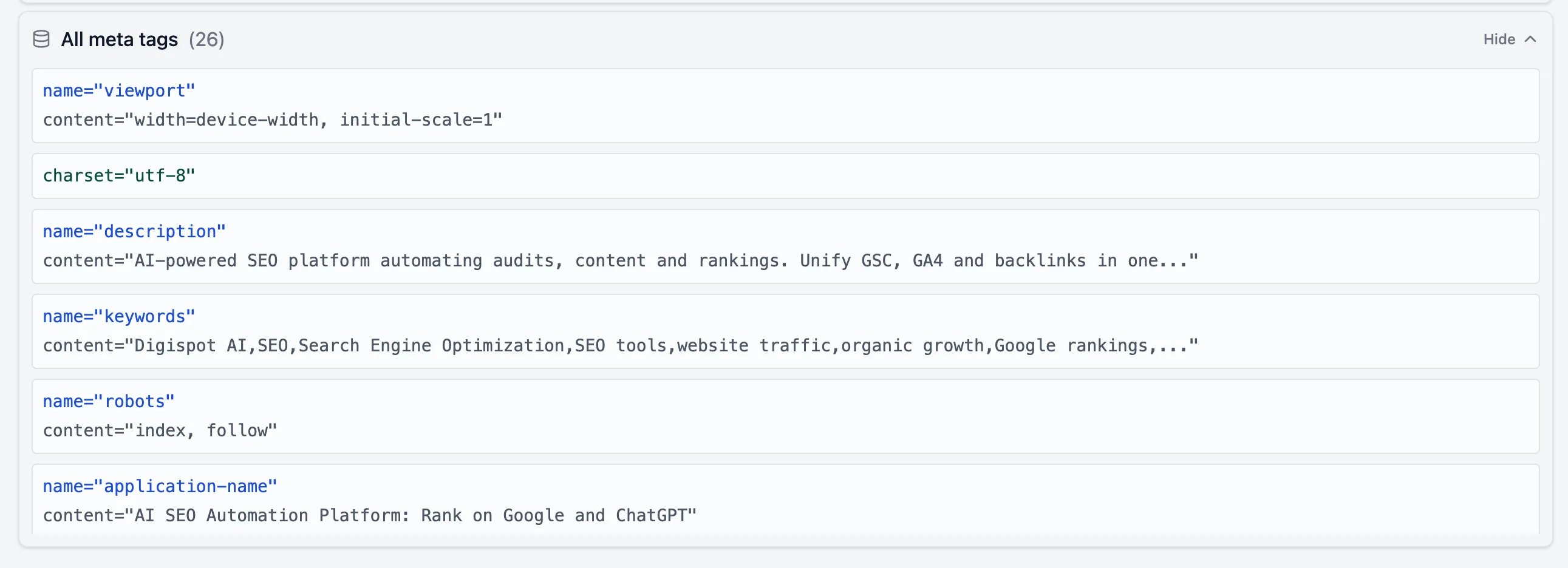
Indexation
A dedicated card states plainly whether the page is indexable. It breaks the verdict into the two signals that decide it:
- Meta robots: the
<meta name="robots">directive (index/noindex,follow/nofollow) - X-Robots-Tag: the same controls, but set as an HTTP header at the server
Seeing them separately matters. A page can look fine in its HTML while an
X-Robots-Tag: noindex header quietly blocks it. That's a problem you can't spot
by viewing source.
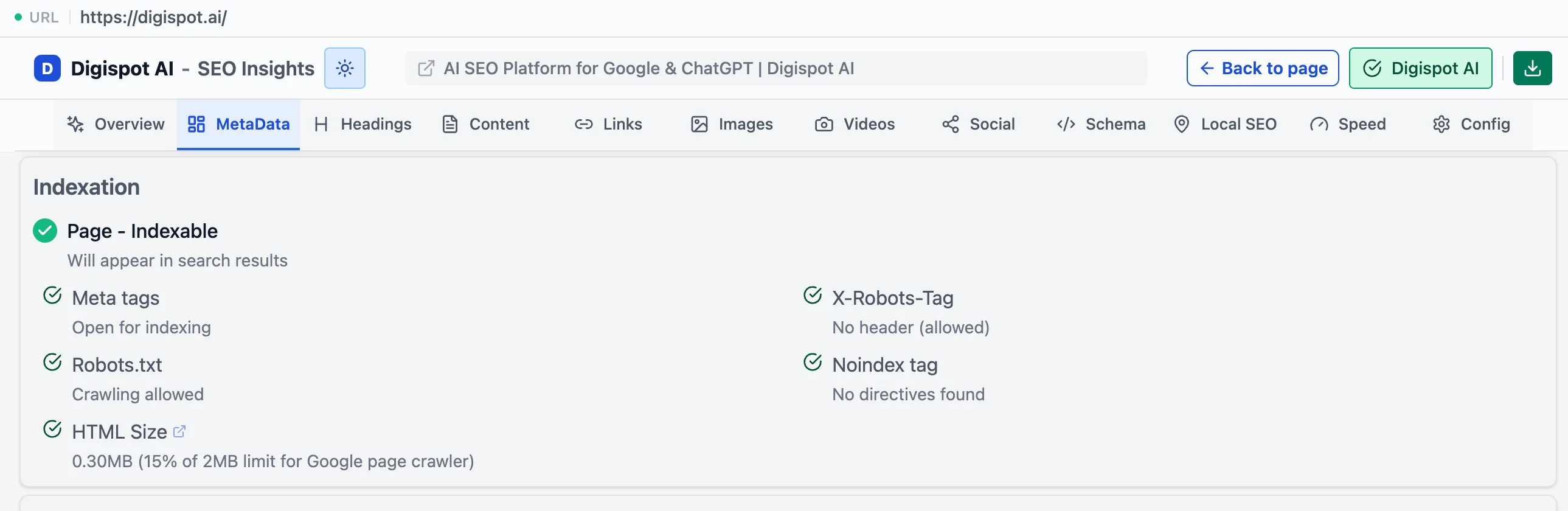
Indexation outranks everything else on this panel. A page set to noindex
cannot rank, no matter how strong its title, content, or links are. Clear any
unintended noindex before optimizing anything else.
Discovery files
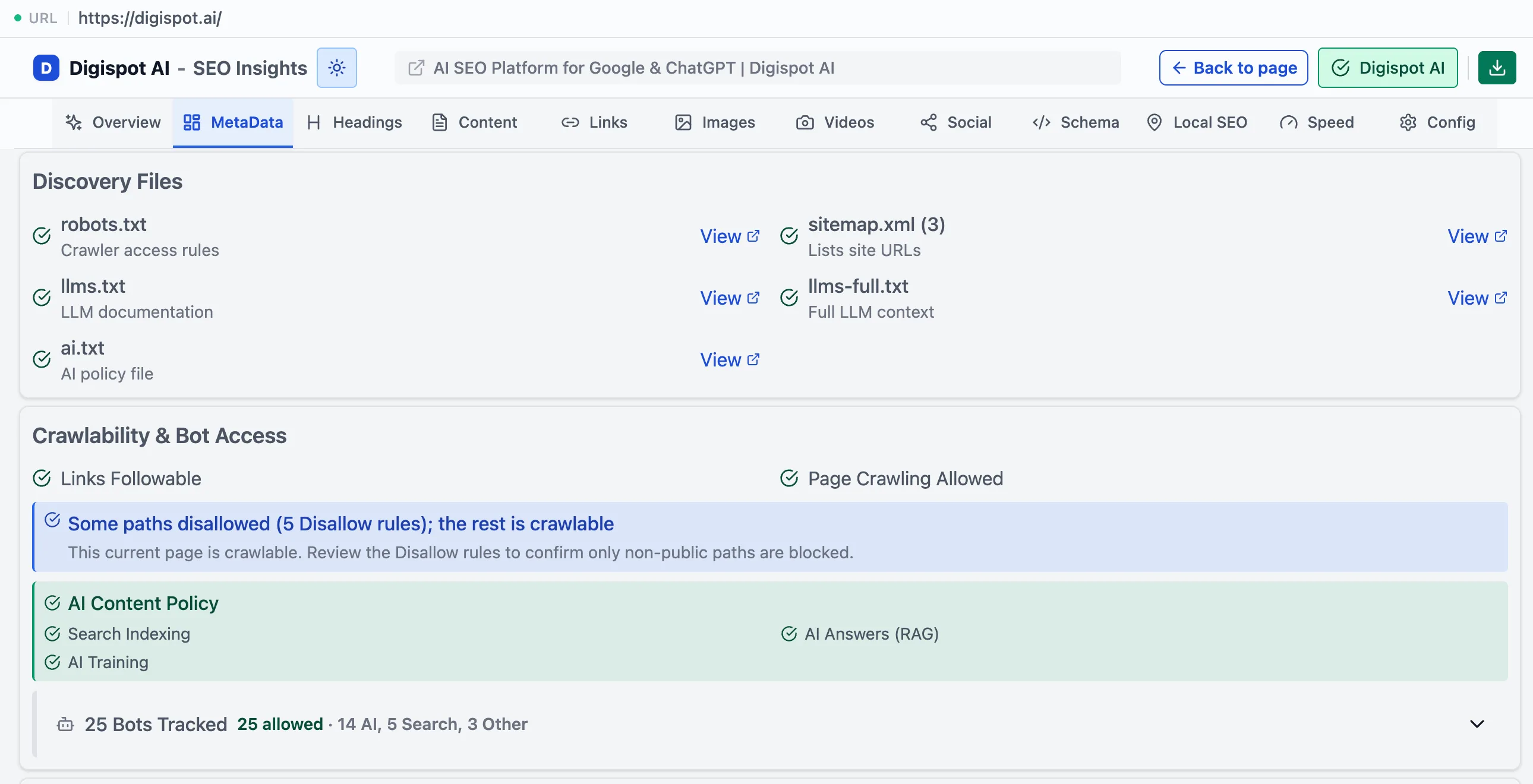
Checks the files that tell crawlers what exists and what to fetch: robots.txt (crawl rules), sitemaps (the list of URLs to discover), and llms.txt / llms-full.txt / ai.txt. The last group is the emerging set of files that guide AI crawlers to your most important content.
Crawlability & bot access
Shows which crawlers can actually reach the page: Googlebot, Bingbot, GPTBot, Claude-Web, PerplexityBot, and others. Each one is marked allowed, blocked, or restricted.
This is where you catch a page that's accidentally blocking AI crawlers in
robots.txt. That's increasingly costly as ChatGPT, Perplexity, and Gemini send
real traffic and citations.
Work this panel in order of leverage: fix indexation blockers first, then the title, then the canonical, then the description. The first three decide whether the page ranks. The description decides whether people click.