Links
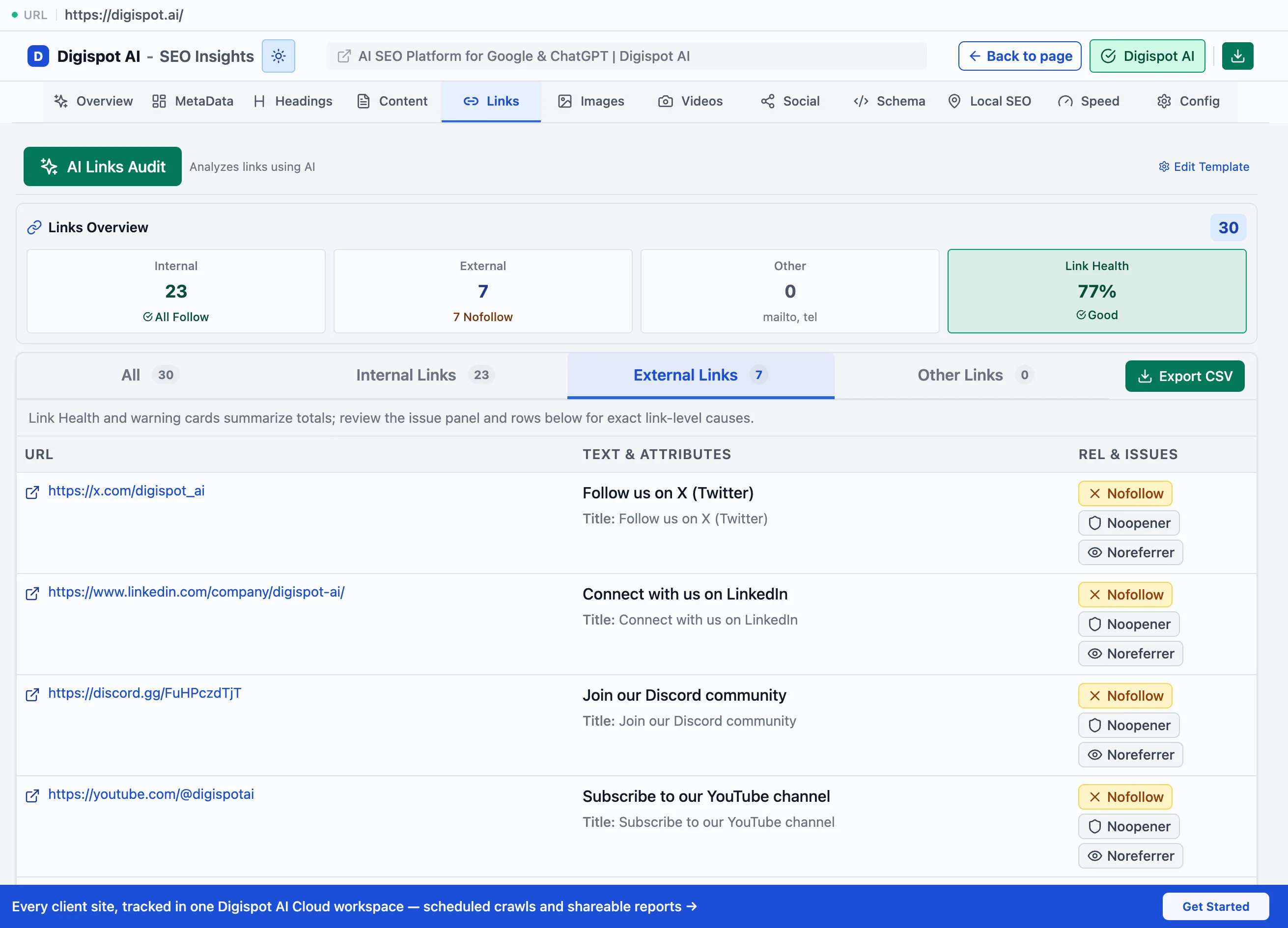
The Links panel breaks down internal, external, and other links with anchor text, rel attributes, and CSV export.
The Links panel inventories every link on the page and how it is built: anchor text, rel attributes, and destination. This puts internal structure and outbound signals in one place. Links carry ranking equity between pages and tell search engines how a site is organized. Anchor text tells them what the linked page is about. Getting this right spreads authority to the pages that need it.
Link stats
A summary bar shows the totals: internal, external, and other links (mailto, tel, anchors). It also gives a follow versus nofollow breakdown for internal and external links separately.
Reading the split matters. Internal links should almost always be followed, so they pass equity through the site. A nofollow on an internal link usually wastes that equity. External nofollows are normal and appropriate for untrusted or paid destinations.
Filtering and export
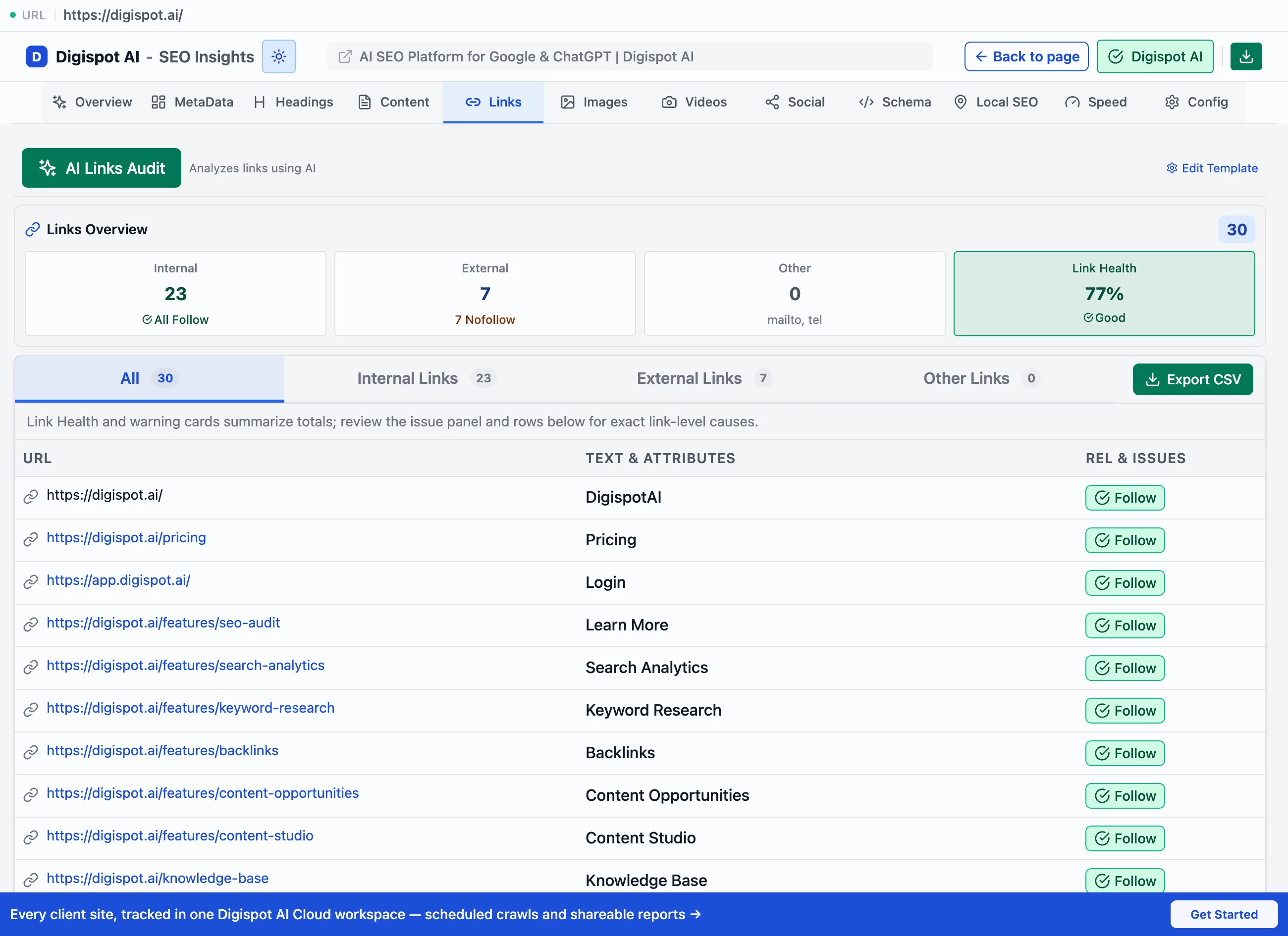
Filter tabs, each with a count, narrow the list. Export CSV saves the full set for a spreadsheet or a developer handoff.
- All: every link on the page
- Internal links: same-site destinations
- External links: off-site destinations
- Other links: mailto, tel, and in-page anchors
Per-link detail
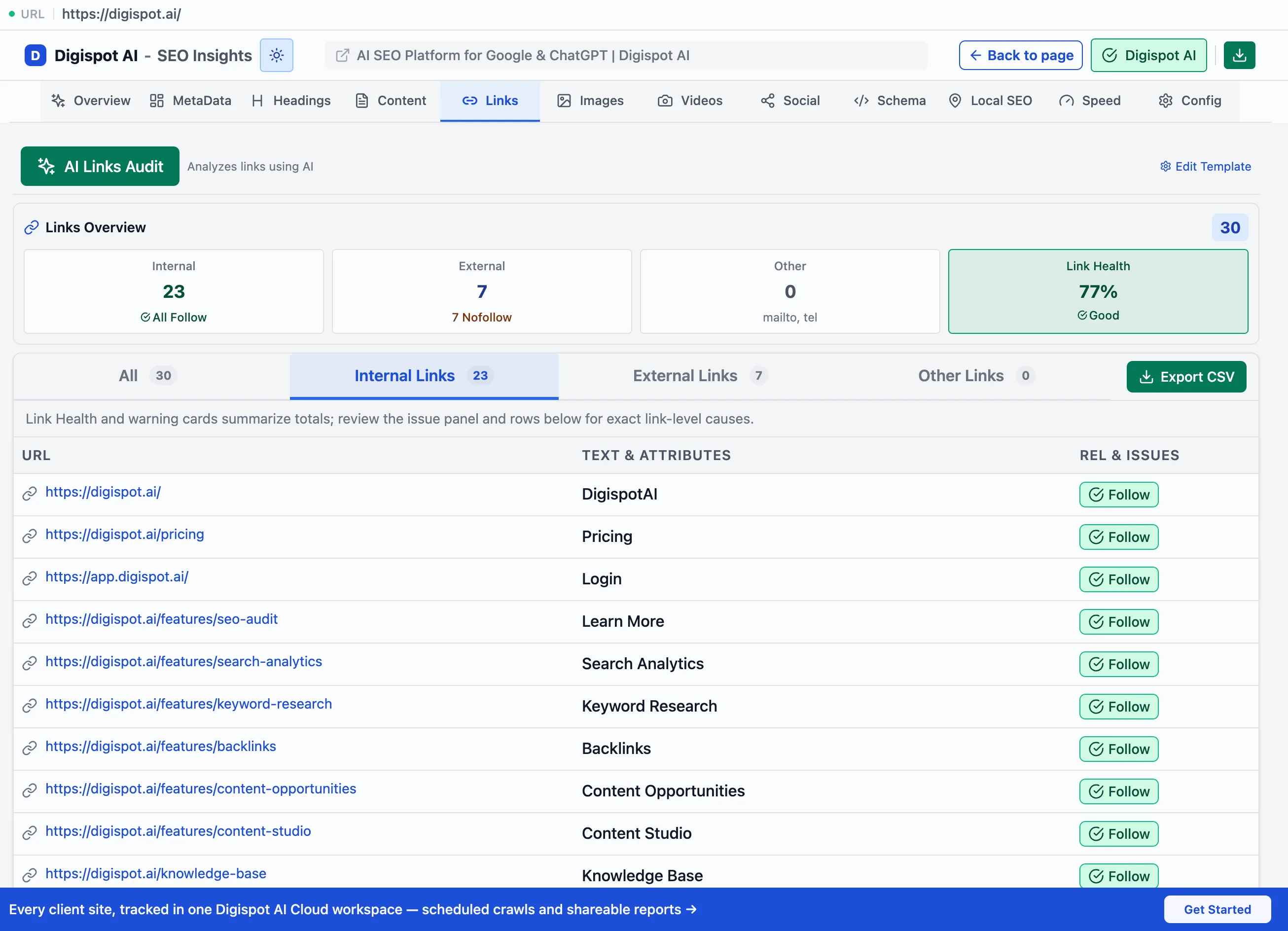
Each row shows the specifics that matter for SEO.
- Anchor text, or a No text flag when it is missing. Descriptive anchor text is a ranking signal for the destination. Generic anchors ("click here") and empty ones waste it
- The full URL, with an external-link marker
- rel and target attributes, and a nofollow badge. This makes a link that silently blocks equity easy to spot
- Link depth (for internal links) and HTTPS / HTTP. An HTTP link on an HTTPS page is a mixed-content and trust problem
Scan for internal links carrying a nofollow badge and for internal links with no anchor text first. Both quietly waste link equity you have already paid for, and both are cheap to fix.