Issues report
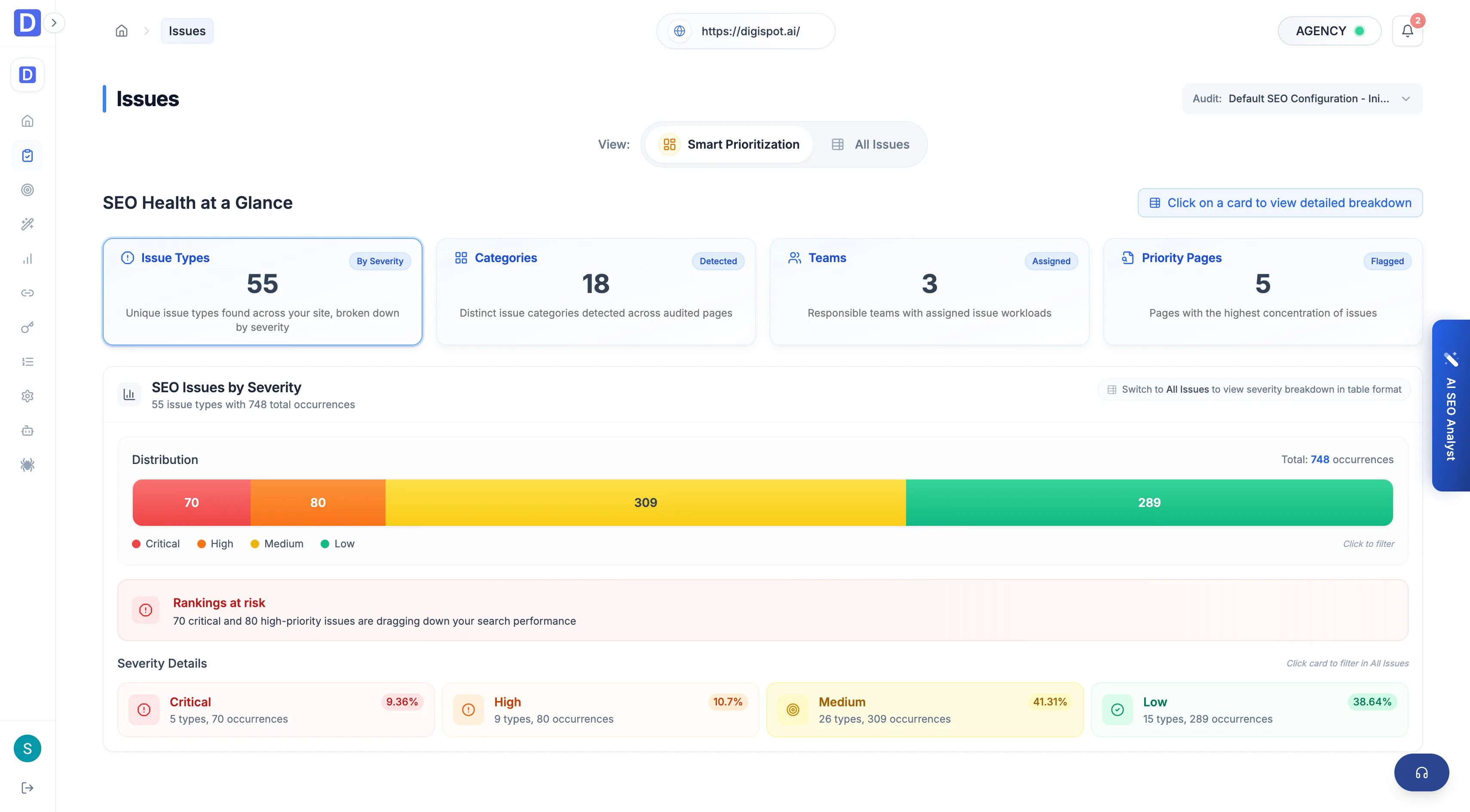
The Issues report aggregates every finding across the audit, grouped by severity and prioritized into quick wins, easy fixes, and critical work.
The Issues report is the fix-first queue for the whole audit. Every other report scores a single dimension. This one collapses all of them into one list, grouped by the problem itself rather than by page. The affected URLs sit behind each issue. It is the fastest way to answer "what should be fixed next" without opening each report in turn.
Prioritization
The same findings are cut two ways so the queue can be read by urgency or by return on effort. Severity ranks how much an issue can hurt rankings. The priority tabs weigh that severity against how hard the fix is.
| Severity | What it means |
|---|---|
| Critical | Severe problems that can suppress indexing or ranking outright |
| High | Significant issues with a clear impact on visibility |
| Medium | Worth fixing, but not urgent |
| Low | Minor or cosmetic findings |
The smart-prioritization tabs re-sort those same issues by payoff:
- Quick wins — high impact for low effort, the first place to spend time
- Easy fixes — low-effort changes with an immediate benefit
- Opportunities — strategic improvements for the longer term
- Critical issues — severe problems that need attention regardless of effort
Work the Quick wins tab before the severity buckets. A Critical issue that needs an engineering sprint moves the score no faster than several quick wins shipped the same afternoon.
Filters and table
The all-issues table lists each issue type with the signals needed to triage it. The filter bar narrows the list to a single owner or fix type.
- Filters — category, severity, priority, team, and effort, so a developer can pull only their queue or an SEO can isolate the highest-impact work
- Columns — each row shows the issue's category, the responsible team, its severity (Critical / High / Medium / Low), its effort (High / Medium / Low), and the total occurrences across the site
- Priority pages — a widget that surfaces the URLs carrying the most issues, so a single high-leverage page can be fixed once instead of chasing the same issue across many pages
Effort and severity are independent: a Low-effort issue can still be Critical
(a stray noindex), and a High-effort issue can be Low severity. The priority
tabs exist to combine the two into a single ranked order.
AI explanation
Each row carries an AI explanation that turns a flagged issue into a concrete action: what it is, how to fix it, and how to confirm it's fixed once the change ships. Read the confirmation step before deploying, so the follow-up audit checks the right signal.