Content opportunities
Content opportunities finds the gaps in your topical coverage — pages worth writing, mapped to clusters and search intent.
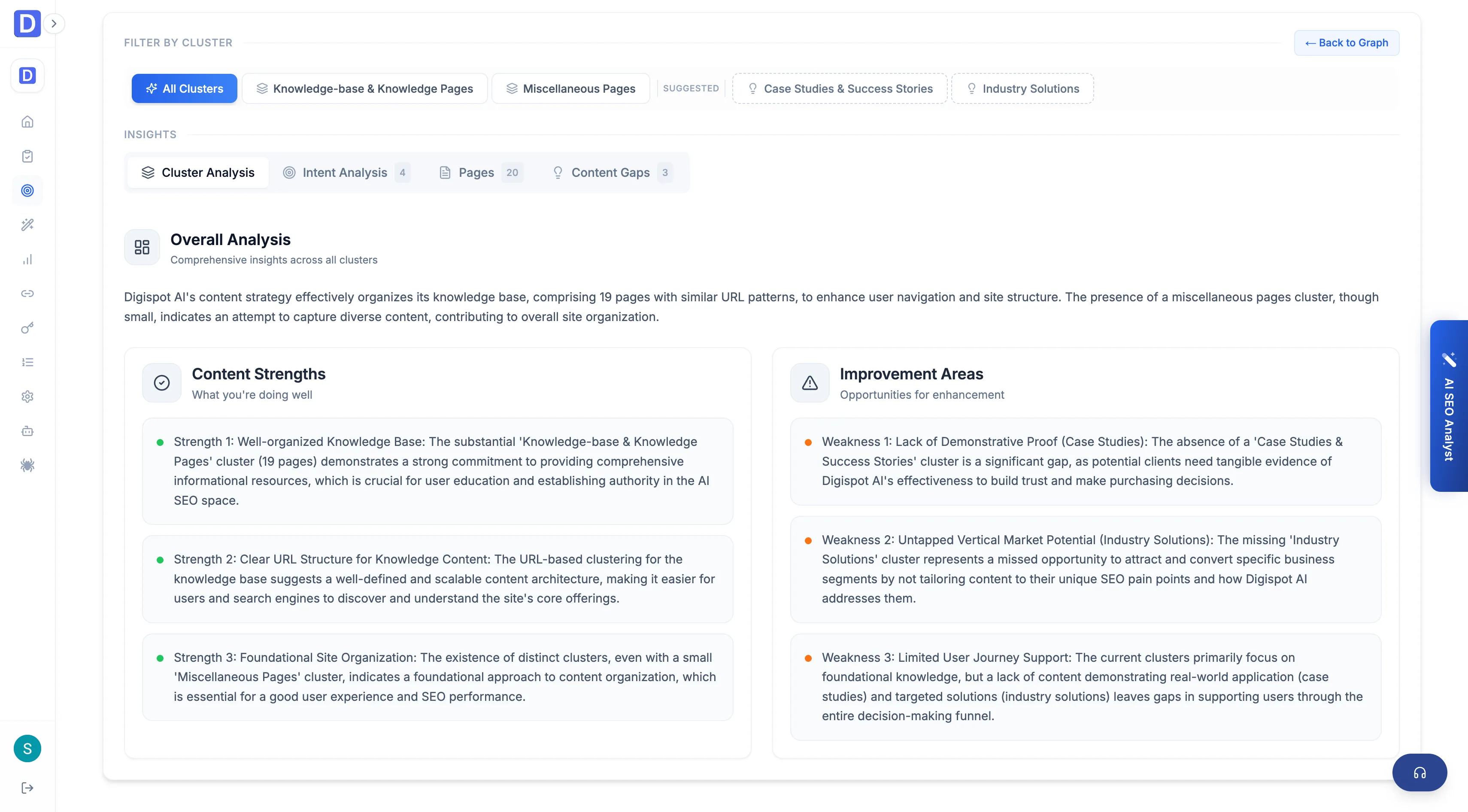
Content opportunities points at what to write next. It surfaces the topics the site doesn't cover yet, mapped to the clusters they extend and the search intent they serve. It reads the analysis from an audit run, so the gaps reflect the site's real structure rather than a generic keyword list. Each gap carries enough detail to hand straight to Content Studio.
This screen is tied to an audit run. It needs a completed run to analyze. If no run exists yet, the page prompts you to create one before it can surface gaps.
Two views of the same data
A toggle switches between a graph and a dashboard view of the same opportunity set.
- Graph — an interactive cluster map showing the site, its topic clusters, the pages under each, and the gaps hanging off them. Coverage and holes are visible spatially
- Dashboard — the same clusters and gaps as sortable, filterable lists
What the dashboard breaks down
The dashboard organizes opportunities across four tabs.
- Cluster analysis — how the site's topics group, and which clusters are thin
- Content gaps — the missing pages, each with a priority (high, medium, low), a suggested title, target keywords, key points to cover, and the intended audience; filterable by priority and by cluster
- Search intent alignment — coverage across the funnel stages awareness, consideration, decision, and retention, backed by the query intents (informational, navigational, commercial, transactional)
- Pages — how existing pages map into the cluster structure
When every gap has been addressed, the screen shows an "all gaps addressed" state.
Each gap has a Write action that opens Content Studio's Create screen pre-filled with the gap's title, keywords, audience, intent, and a length scaled to its priority. It is the shortest path from spotting a gap to drafting the page that fills it.