
SERP research
Capture a live Google results page for any query, track how the project's keywords rank over time, and see every query the domain ranks for — with device, language, and depth control.
SERP research captures a live Google results page for a query and tracks how the project's own pages rank over time. It runs on Data credits, a pool separate from AI credits. See Plans & billing.
Open SERP from the left sidebar. The top-right toggle switches between two views: a one-off Lookup, and a Rank Tracker that follows the project's target keywords over time and lists every query the domain already ranks for.
A new lookup or a manual refresh costs 1 Data credit. Cached results, rank tracking summaries, timelines, and domain positions are free to view.
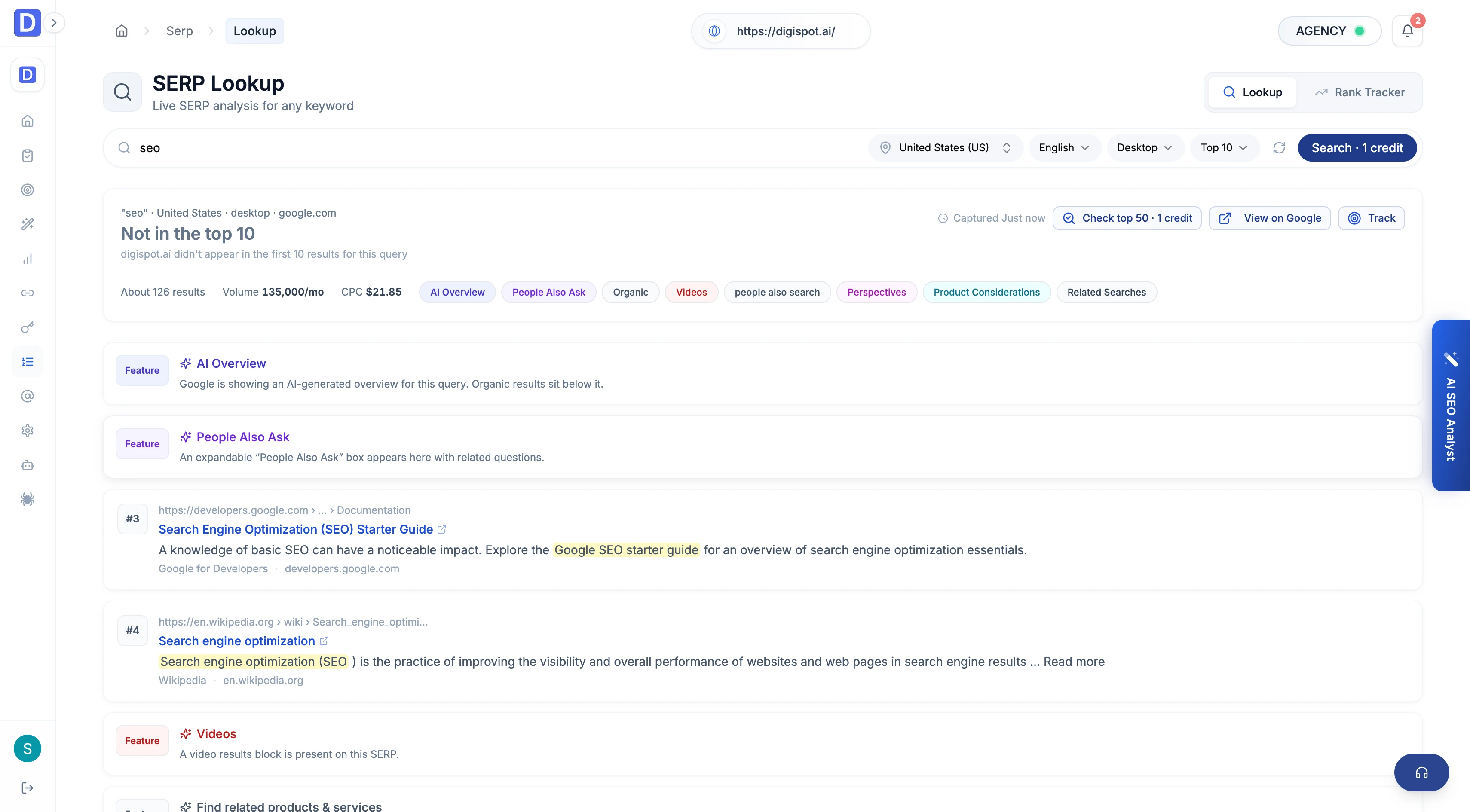
Lookup — a live results page
On the Lookup view, type a query into the search bar, set the search context in the controls beside it, and click Search.
- Location and language — where and in which language the search runs
- Device — desktop or mobile
- Depth — top 10, 20, 50, or 100 results
The snapshot header reports the total result count, any spell correction Google applied, the related searches shown, and which SERP features are present. Each result card carries its own detail.
- Rank — absolute position, plus the group rank where it differs
- Result type — organic, video, featured snippet, knowledge panel, local pack, AI Overview, top stories, and others, each badged
- Title, URL, domain, and snippet — with any extended or pre-snippet text
- Own-site highlight — results on the project's domain are marked and tinted
- Rich elements — star ratings with vote counts and expandable FAQ blocks where Google shows them
Results extract from a full Google page, so organic listings, ads, local packs, and AI Overviews are all captured rather than organic-only.
Rank Tracker — positions over time
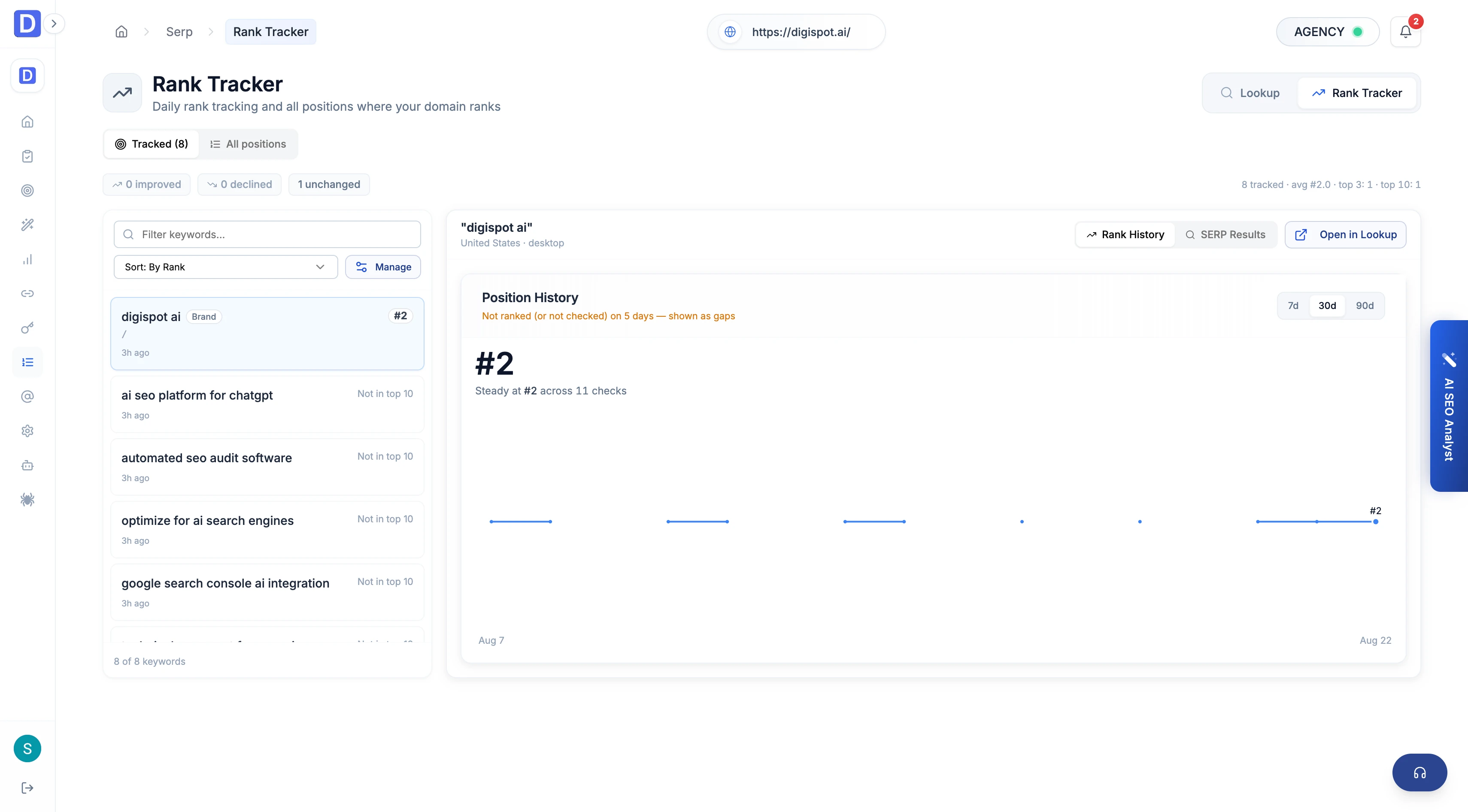
Click Rank Tracker in the top-right toggle. It records daily positions and splits into two tabs, Tracked and All positions.
Tracked
Open the Tracked tab. It follows the keywords set as project targets. A KPI bar summarizes the set — tracked count, average rank, improved, declined, and featured — above a distribution of how many keywords sit in the top 3, top 10, top 50, or aren't ranking. Select a keyword to open its Position History: a rank timeline over 7, 30, or 90 days, plus an on-demand view of the latest SERP for that term. Add a keyword to tracking straight from a Lookup with Track keyword.
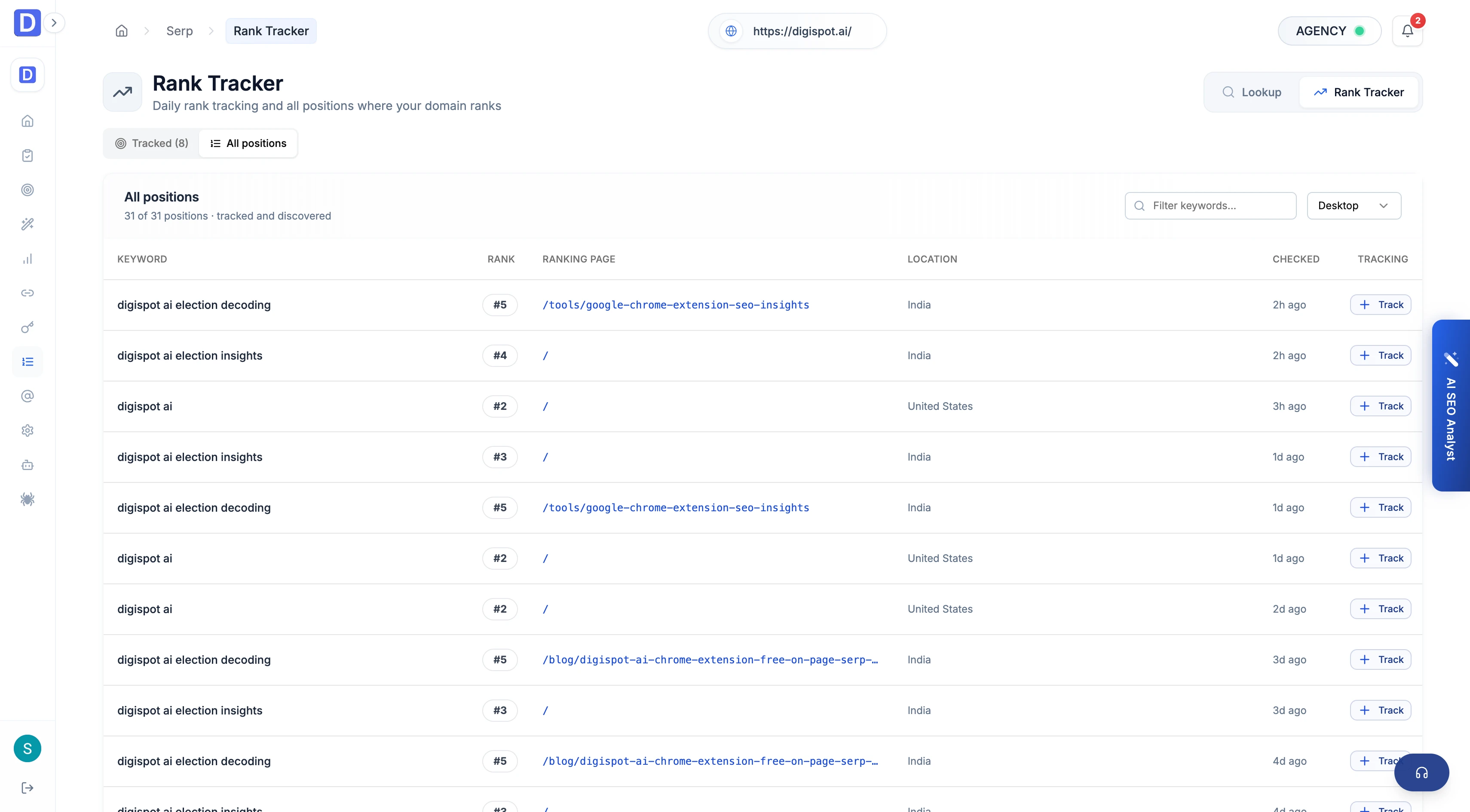
All positions
Open the All positions tab. It lists every query where the project's domain appears — tracked and discovered. Filter by keyword text and device to see the ranking URL, position, location, and when each was last checked, and add any discovered query to tracking inline.
What each view answers
| View | Question it answers | Cost |
|---|---|---|
| Lookup | Who ranks for this query right now? | 1 credit per new lookup |
| Rank Tracker · Tracked | How are my target keywords moving? | Free to view |
| Rank Tracker · All positions | Which queries does my domain rank for? | Free to view |
Keyword research
Look up search volume, difficulty, intent, and CPC for any term, expand into related keywords on a relationship graph, pull a competitor domain's rankings, and keep results in a reusable library.
Backlink research
Profile the domains linking to a site with a health verdict, six headline metrics, and a sortable referring-domains table — generated as part of an audit run.