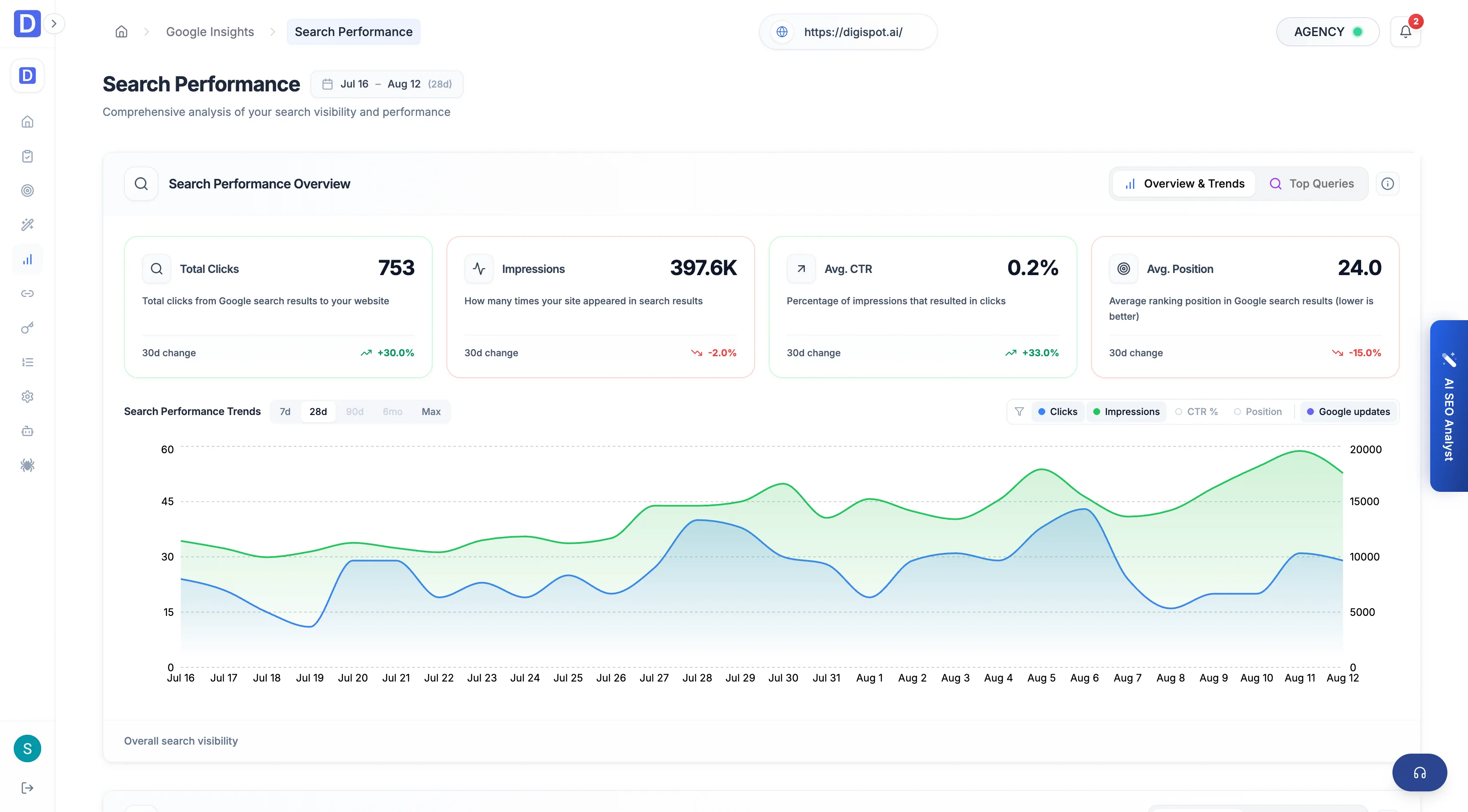
Search Performance
The Search Performance view covers Search Console trends — clicks, impressions, and where you rank, by query and geography.
The Search Performance view is the Search Console deep-dive. It shows how pages perform in Google results over time, broken down by the query people searched and the country they searched from. It reads the same data Search Console does, laid out to move from the overall trend down to the individual terms and regions driving it.
This view is fully Search Console-scoped and needs the Search Analytics
permission on the connected property. Without it the page shows a locked state
rather than data. A 404 No data found from Google means the report hasn't
populated yet, not that something broke.
Performance analysis
The top section is the trend line across the reporting window. It shows the four Search Console core metrics and how each is moving.
- Clicks and impressions over time, with the trend direction called out
- Average CTR — clicks as a share of impressions
- Average position — where the site ranks on average for the terms it appears for
- A query breakdown listing the individual terms, so a rise or fall in the totals can be traced to the queries behind it
Read impressions and position together: rising impressions at a worsening position usually means the site is surfacing for new but weaker terms.
Geographic performance
The second section maps the same clicks and impressions by country, so you can see where demand concentrates and where the site under-serves a region it should own.
- Impressions and clicks per country
- A geographic view of where search visibility is strong and where it thins out
Queries sitting at positions 8–20 with real impressions are the fastest wins: they already rank on or near page two, so a targeted content or metadata fix can push them up without earning visibility from scratch.