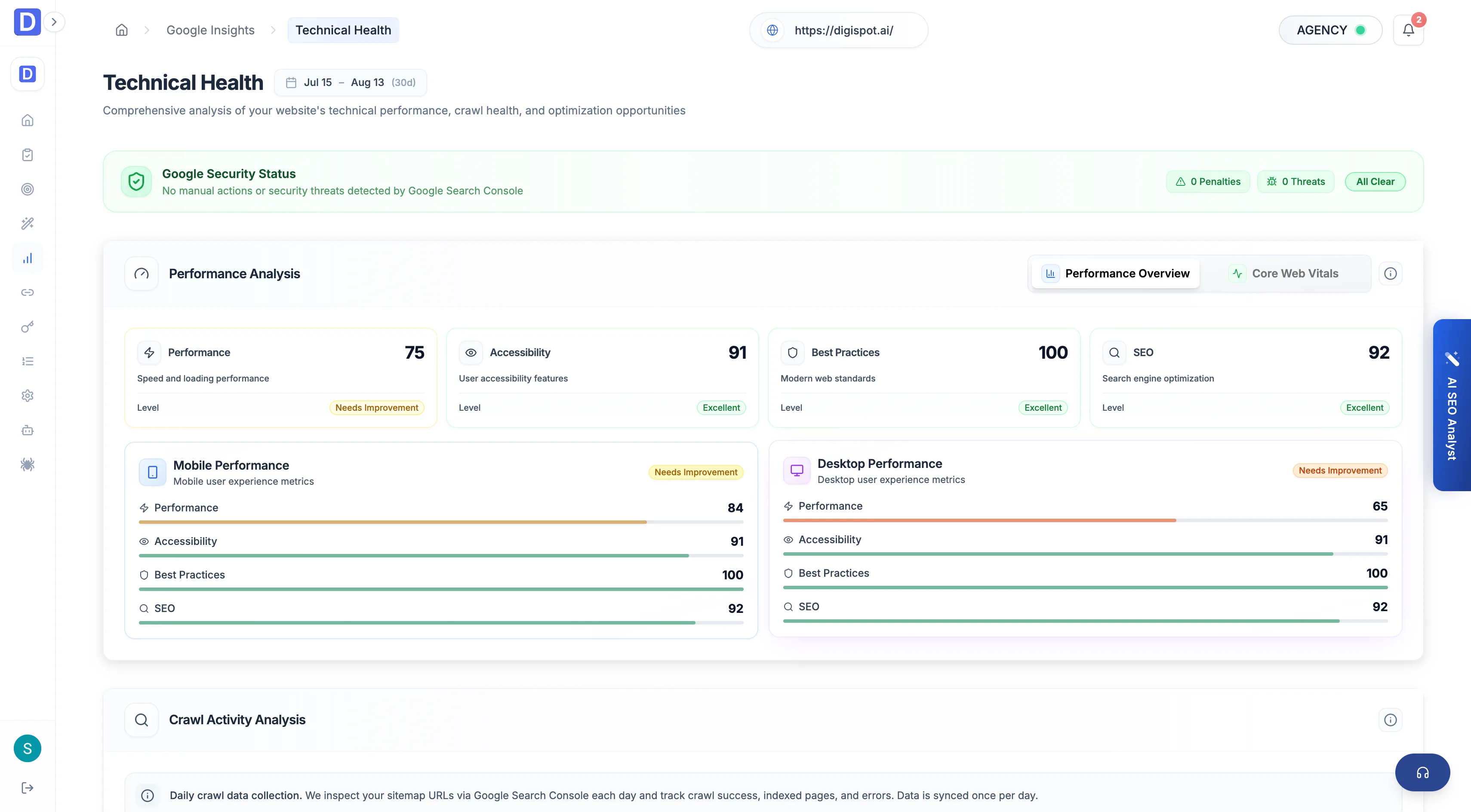
Technical Health
The Technical Health view covers crawl activity, security status, mobile usability, and Core Web Vitals from Google.
The Technical Health view reads Google's own signals on how crawlable, secure, and fast the site is. It draws on the same data behind the crawl and Core Web Vitals reports in Search Console, plus a live PageSpeed reading. It's Google's opinion of the site's technical shape, which is the opinion that decides rankings.
Security status and crawl activity come from Search Console's URL Inspection data and need that permission on the connected property. Without it those sections show a locked state. The PageSpeed section uses a separate Google API and stays available regardless.
Google security status
The first section states plainly whether Google has flagged the site.
- Overall health status and total issues
- Manual actions — penalties applied against the site
- Security issues — malware, hacked content, or similar problems
Anything here outranks the rest of the page. A manual action or security flag can suppress the whole site until it's cleared.
PageSpeed and Core Web Vitals
The middle section is the speed and experience reading. It's taken live from Google's PageSpeed data.
- Core Web Vitals for both mobile and desktop — the field metrics for loading, interactivity, and layout stability
- The performance scores Google assigns each profile
Crawl activity
The last section monitors how Google is fetching and indexing the site.
- Crawl activity over time — how often Googlebot visits
- Indexed URLs and crawl volume
- Crawl errors — server errors, not-found, robots-blocked, and the other failure types that keep pages out of the index
Field Core Web Vitals here reflect real visitors over the trailing window, so a fix won't show up immediately. Use the Performance audit for lab data that reacts to a change the moment it ships, and watch this view to confirm the gain lands for actual users.